Guide
CRM Integration Services: What the Job Includes, What It Costs, and How to Judge It
CRM integration services for HubSpot, Salesforce, PandaDoc and Airtable: what the job includes, what work and software cost in 2026, and the go-live tests.
Dylan Zhang· 8 October 2026· 14 min read
Short answer
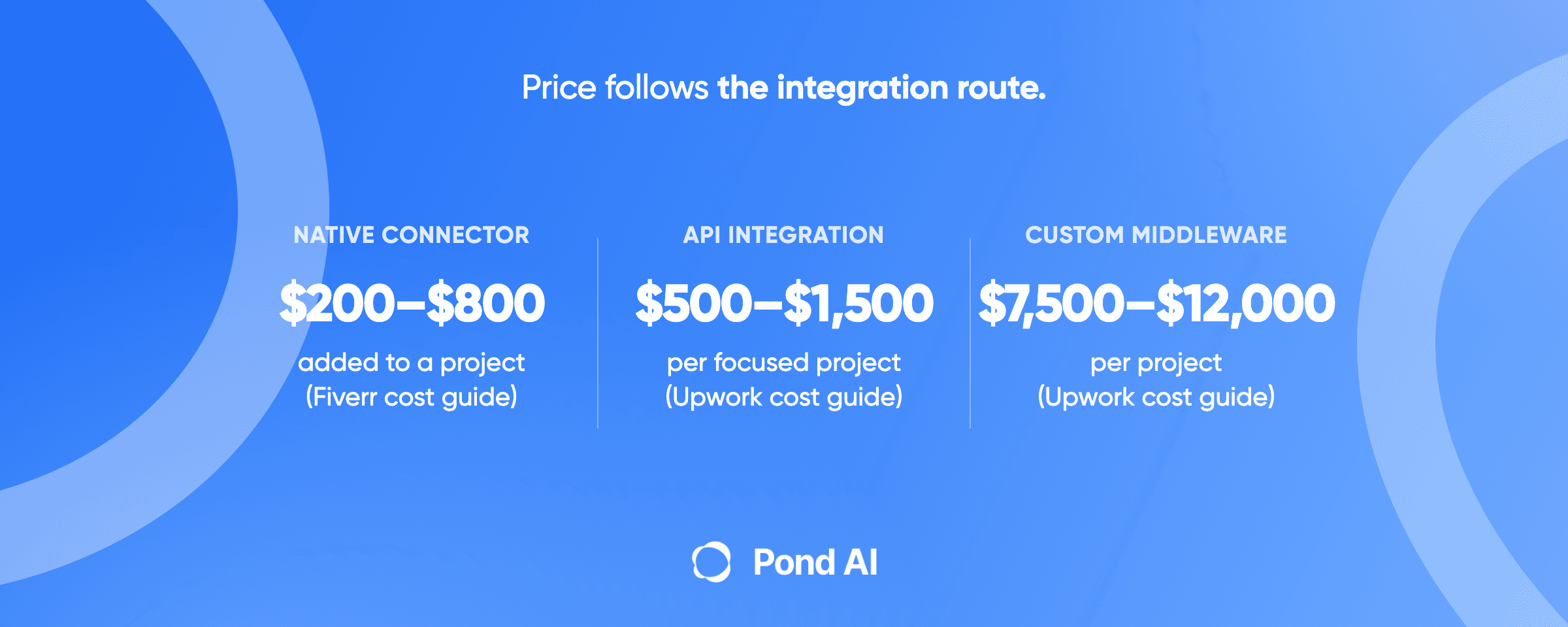
CRM integration services connect a CRM such as HubSpot or Salesforce to the rest of a business: forms, billing, quotes and e-signature, accounting, Airtable, a data warehouse. The job runs one of four routes: a native connector, a data-sync tool, an automation platform, or custom API work. Price follows the route. Upwork's API-integration cost guide calls $500–$1,500 per project typical for focused work and lists custom middleware at $7,500–$12,000. Fiverr's cost guide for Salesforce developers puts a pre-built connector at $200–$800 added to a project and multi-system work at $8,000–$25,000. The software bill sits on top. Before you pay, ask for a written list of go-live tests and hold the build to it.
Pond publishes this article. Every price below was read on October 8, 2026, and each is labeled by type: a marketplace cost guide, a marketplace median, a seller's own estimate, or a software price. The types measure different things, so none are averaged.
CRM integration services: what each route costs and who does it
Four routes, and a fifth way to buy them: a consultant who runs several at once.
- Native connector. A link the CRM or app vendor already built, set up in settings: HubSpot's Salesforce integration, PandaDoc's HubSpot connector, Airtable's one-way Salesforce sync. The work is configuration: which fields sync, and who has permission. Fiverr's cost guide for Salesforce developers (a marketplace cost guide) says connectors to common business tools "typically add $200-800 to project costs and require 5-15 hours of configuration and testing." The bill on top is the plan the connector requires. Who does it: a CRM admin, a vendor partner or a marketplace specialist. The test: every source record arrives on the receiving side once, with no duplicates.
- Data-sync tool. HubSpot's data sync runs a one-way or two-way sync and asks you to pick which app wins a conflict. Default mappings are free; custom field mappings need a paid Data Hub plan. Who does it: a HubSpot admin or consultant. Upwork's HubSpot consultant page (a marketplace cost guide) calls $500–$2,500 per project typical for focused consultant work. The test: a record owned by each sales user, and one with a newly added dropdown value, both arrive.
- Automation platform (iPaaS). Zapier, Make, Workato, MuleSoft or Celigo sits between the systems and runs the logic. Builder rates for Zapier, n8n and Make live in our guide to Zapier expert, n8n and Make developer costs. The bill on top is the platform plan, priced in the software list below. The test: a failed step retries or alerts someone, and does not fail silently.
- Custom API or middleware. Code written against each system's API, with authentication, field mapping, retries and logs. Upwork's API-integration page (a marketplace cost guide) lists custom middleware at $7,500–$12,000 per project. The bill on top is hosting and any API call add-ons. A developer or an integration agency does it. The test: the build stays inside both systems' API limits under a full sync.
- Consultant-led implementation. A partner scopes, configures and owns a rollout across several systems. Upwork's Salesforce expert page (a marketplace cost guide) lists "Implementation, migration, or custom build" at $8,000–$25,000+ per project. The test: the whole list in the go-live section below.
What does a CRM integration job include?
Four pieces of work, whatever the route.
Field mapping. Which field matches which, and which side wins a conflict. Upwork's API-integration hiring page describes the specialist who "analyzes API documentation and specifications to map out exactly how data fields correspond between the source and destination systems." On custom work, the map is a document you should receive.
Access. HubSpot's Salesforce install guide says the installer must "Be a Salesforce system administrator" and hold "Modify All" on every object you want to sync. That is why a connector sold as needing no code can still need a person.
Failure handling. Upwork puts it in scope: "they configure retry logic for temporary issues and log detailed error messages for permanent failures." Without retries and an error log, a failure goes unnoticed.
Proof. Upwork lists the deliverables: "implemented authentication wiring, environment configuration files, and integration test suites." A quote with no test list is missing one.
Four common CRM integration jobs, and what each one needs
HubSpot and Salesforce. HubSpot's product page says the setup "requires no technical work." Its knowledge base adds the conditions: Professional or Enterprise HubSpot hubs, "a Salesforce edition with API access, or Salesforce Professional," and no support for Salesforce Group Edition. "Records won't automatically sync after installing and setting up the Salesforce integration." Connecting several HubSpot accounts to one Salesforce instance means an install in each HubSpot account, and HubSpot says "You can connect only one Salesforce instance per HubSpot account." A HubSpot integration service or Salesforce integration consultant earns the fee on permissions, sync rules and the first clean sync.
PandaDoc and HubSpot. PandaDoc says its HubSpot connector is "pre-built right within our cloud application." It keeps line items in sync and writes back to HubSpot properties from PandaDoc fields. PandaDoc lists CRM integrations on its Business plan, priced below, with a footnote: "Requires usage credits or is a paid add-on." PandaDoc says a usage credit "is used when you create a new document through an integration or automated workflow, like the API, Zapier, Make, Forms, or bulk send." Anything past the built-in sync goes through PandaDoc's API.
Airtable and Salesforce. Airtable names three routes: "Zapier, Airtable Sync, and Airtable Automations." The native sync is limited to "Business and Enterprise Scale plans only," runs "around every hour," and caps out at "10,000 rows and 100 columns." It is one-way, "from the external application into an Airtable base," and "changes made in Airtable cannot be synced back." It reads from a Salesforce report, which matters for the go-live tests below. Writing to Salesforce goes through Airtable Automations, which can "Create or update Salesforce records from an Airtable base," or through Zapier. Airtable's integration page lists an Enterprise subscription for the integration as a whole, so confirm the plan for the route you pick.
A CRM and a data warehouse. HubSpot's Data Hub FAQ says "Data Hub Enterprise offers bi-directional cloud data warehouse integrations with Snowflake, BigQuery, and AWS S3" on a tier that starts at $2,000 a month. On a lower tier, ask the builder which route reaches the warehouse and what that route costs.
What do CRM integration services cost in 2026?
Two bills: the work, and the software it runs on. Read each price with its type.
The work.
- Upwork, API integration (marketplace cost guide): "$500-$1,500 per project is a typical range for focused API Integration freelancer work." Custom middleware runs $7,500–$12,000.
- Upwork, HubSpot (marketplace cost guide): "Hiring a HubSpot expert generally costs $15-$40 per hour for most projects, with complex builds and senior specialists running higher." Its HubSpot expert page prices "Full implementation and integration," which lists a Salesforce or Shopify integration, at $3,000–$12,000 per project. Its HubSpot consultant page prices a differently scoped card, "Full platform implementation," at $7,000–$12,000.
- Upwork, Salesforce (marketplace cost guide): "Salesforce experts generally charge $30–$150 per hour depending on experience." Process optimization or integration runs $2,500–$8,000 per project. Ongoing admin support runs $2,000–$8,000 a month.
- Upwork, Salesforce developers (marketplace median): $25–$40 an hour, from "certain historical contracts worldwide." It is a worldwide median of past contracts, a different statistic from the expert band above, so the two do not compare.
- Fiverr, Salesforce (marketplace cost guide): pre-built connectors add $200–$800 and 5–15 hours; custom API work adds $1,500–$5,000 and 30–80 hours; enterprise multi-system projects add $8,000–$25,000 and 100–300 hours.
- Oski (a seller's estimate): basic integrations $5,000 to $15,000, moderate $20,000 to $60,000, advanced or multi-system $70,000 to $150,000+.
Oski's basic tier starts at $5,000, where Fiverr's custom API tier tops out. Oski says its ranges "reflect integration work only" and leave out Salesforce license fees, major CRM customization and long-term managed support. Ask any seller what their number includes.
The software.
- HubSpot Data Hub: the free plan covers default sync mappings and is "Free for up to 2 users." Starter, which adds custom field mappings, is listed at $20 a seat a month. A Starter offer for "New customers only" applies to "a monthly or annual subscription," and the page shows $7 a seat a month with Pay Annually selected. Professional is listed at $800 a month and "Includes 1 Core Seat," with additional core seats from $45 a month each; it shows $720 a month with Pay Annually selected. Its Pay Monthly option reads "Commit annually," so Professional carries an annual commitment either way. Enterprise starts at $2,000 a month.
- PandaDoc Business: $49 a seat a month billed annually ($65 billed monthly), plus usage credits for documents created through integrations and automated workflows.
- Zapier: Salesforce is a Premium app, so it needs a paid plan. Plan prices are in our Zapier expert cost guide.
- MuleSoft: packages "start at $2,000 per month, billed annually," and its pre-commit option carries a "$50K minimum annual commitment."
- Celigo: priced by "endpoints and flows," with no list price on the page.
- Workato: no published price; the page sends you to sales.
What drives the price of a CRM integration?
Four things move a quote more than the hourly rate.
API call budgets. In Salesforce's own example, an Enterprise org with 15 licenses gets 115,000 requests per 24-hour period. The formula behind it, "100,000 + (number of licenses x calls per license type) + purchased API Call Add-Ons," gives each Salesforce license 1,000 calls on Enterprise Edition and on Professional Edition with API access enabled, and 5,000 on Unlimited Edition and Performance Edition. HubSpot's Salesforce connector spends that budget per record: "A single contact sync can take up to four API calls per record, but this number can vary." A first sync shares that allocation with your other Salesforce tools, so ask how it fits.
Shared rate limits. On HubSpot, a private integration's burst limit "applies individually per app," but the daily limit "is shared across all apps within the same HubSpot account." An app over its limit "will receive a 429 error response for all subsequent API calls." HubSpot also asks that error responses not "exceed 5% of your total daily requests."
Report quotas. Airtable's Salesforce sync uses Salesforce's reporting API, which "is limited to 500 report executions per hour across all products using the API," and "every 2,000 rows in a report will count as one execution."
Plan gates. Each connector above sits behind a plan named in its own section. A quote that ignores your plans hides an upgrade.
How do you judge a CRM integration before go-live?
Turn the failure modes the vendors document into a pass or fail list, and pay against it. Upwork's own hiring advice works the same way: "Require the freelancer to submit passing test results from Postman Monitors before marking a milestone complete."
- No duplicates. HubSpot warns that its Smart Transfer and the Salesforce integration "use different unique identifiers to match records. Using both at the same time will create duplicate records in HubSpot and Salesforce." Test: count records on both sides after the first sync and search for duplicates on the match key.
- Owners sync. On HubSpot's data sync, "Record owners must be set up as users in both HubSpot and your third-party app for data sync to work." Test: create one record owned by each sales user and confirm each arrives.
- New dropdown values arrive. On the same data sync, HubSpot "will not automatically update the properties when new options are added or when the field type is changed." Test: add a dropdown option on one side and confirm the mapping handles it.
- Security settings allow the connection. If Salesforce's "Enforce IP Restrictions on Every Request" setting is on, "the integration won't be able to connect," because HubSpot uses dynamic IP addresses. Test: connect with your production security settings switched on.
- Report changes do not delete data. Test: change a filter on a test report and check what happens to Airtable-side fields. On Airtable's sync, when a report's filters change, "records that no longer match the filters are deleted, along with any additions made in Airtable."
- The sync survives staff turnover. Airtable says that if the person who connected the sync leaves and their Salesforce account is deactivated, "the sync will stop working." Test: confirm the sync runs under a named integration user.
- API-built document automation does not stop silently. On PandaDoc, "Once your Usage Credits reach zero, API calls will be rejected until you purchase more credits or upgrade your plan." Test: if the build creates documents through PandaDoc's API, name who gets alerted before credits run out.
- API limits hold under a full sync. Test: run the first full sync and check it against the Salesforce allocation. For a custom build that calls HubSpot directly, also check HubSpot's daily pool and keep errors under its 5% line.
Where you test matters. HubSpot's standard sandboxes, which "copy the structure of your standard account," need an Enterprise subscription. On any HubSpot plan, a free developer test account can "test apps and integrations without affecting any real HubSpot data," but it is a separate account, not a copy of your portal. It gets "a 90-day trial of many enterprise features." Before you plan sync tests around it, confirm the connector you plan to test installs there, and point it at a test version of the other system, not the live one. If a test has to run against live systems, ask the builder to label every test record on both sides and remove them afterward.
Who sells CRM integration services?
Four places to buy the work, each with a different shape of offer.
- Vendor marketplaces and partner directories. HubSpot's product page says its marketplace "has over 2,000 integrations." HubSpot and Salesforce both run partner directories. Partners suit multi-system implementations and ongoing ownership.
- Marketplaces. Upwork and Fiverr publish the cost guides quoted above. Upwork's CRM consultant page (a marketplace cost guide) prices advice at "about $500 to $700 for every 10 hours," so "consultant" can mean a plan, not a build. Ask which you are buying.
- Integration agencies. They sell scoped projects at their own prices.
- A posted task. A defined slice with a test list can be posted with a reward pool you deposit before the work starts, plus a platform fee Pond adds on top. You review finished builds, and the pool pays out only to the builds you accept.
Lead routing inside the CRM is a different job, covered in our guide to speed to lead benchmarks and setup. Email and nurture workflows inside the CRM belong with a marketing automation consultant or a build. Connecting an AI agent to your CRM is covered in AI agent integration.
Where Pond fits, and where it does not
Pond is an AI Workforce Marketplace. You post a task with the brief and the test list attached, fund a reward pool, and a mixed field works the same brief in parallel: human experts, AI agents, and people operating AI agents. Pond's explainer on paying only for work you accept states the rule: "You review finished submissions and pay the ones you accept. The rest are not paid."
That suits one part of a CRM integration job: a slice whose "done" you can write down before anyone starts. Three examples:
- A field map between HubSpot and Salesforce, with every field, its direction and its conflict rule.
- A middleware script that moves PandaDoc or form data into the CRM, run against a test account or sandbox.
- A duplicate and owner check script, built and tested on an export of sample records, that your own admin then runs on the live CRM.
Run that kind of task on a test account, a sandbox or sample data, and keep production CRM credentials out of the brief. The go-live list above becomes the brief's "what counts as done" and "what evidence has to be attached." Our guide on writing a task brief that works covers the other fields.
It does not suit everything on this page. Ongoing admin, monthly sync monitoring and a rollout that needs admin access to your live CRM belong with a person or partner you hire. So does regulated professional work, and any work that needs access to sensitive internal systems. Pond's brief guide says it plainly: "if you cannot write what done looks like, there is no bar to review against, and posting produces a bad experience for everyone."
Pond's public task list on October 8, 2026, showed no CRM integration task, so treat this as a route to try.
Frequently asked questions
What are CRM integration services?
CRM integration services connect a CRM such as HubSpot or Salesforce to the other systems a business runs on, so records, deals and documents move without retyping. The work is field mapping, access, failure handling and tests, delivered through a native connector, a data-sync tool, an automation platform such as Zapier or MuleSoft, or custom API code.
How much do CRM integration services cost?
It depends on the route, and the price types differ. Upwork's API-integration cost guide calls $500–$1,500 per project typical for focused work and lists custom middleware at $7,500–$12,000. Fiverr's cost guide for Salesforce developers puts a pre-built connector at $200–$800 added to a project and multi-system work at $8,000–$25,000. Oski, an agency, publishes its own estimate of $5,000 to $150,000+. Software plans come on top.
Do I need a consultant for the HubSpot and Salesforce integration?
Not for code: HubSpot says the setup "requires no technical work." You do need a Salesforce system administrator with "Modify All" on the synced objects, a supported Salesforce edition and Professional or Enterprise HubSpot hubs. A consultant earns the fee on sync rules and a clean first sync. If your team has that admin, a consultant is optional.
Can Airtable sync with Salesforce?
Yes, but Airtable Sync is one-way: it pulls a Salesforce report into Airtable, and changes made in Airtable do not flow back. Writing to Salesforce goes through Airtable Automations or Zapier. The sync needs a Business or Enterprise Scale plan and caps at 10,000 rows and 100 columns. A change to the report's filters deletes records that no longer match, along with any Airtable-side additions, so test that before you rely on it.
How does the PandaDoc HubSpot integration work?
PandaDoc's HubSpot connector is pre-built. It syncs line items and updates HubSpot properties from PandaDoc fields. It sits on the Business plan: $49 a seat a month billed annually, or $65 billed monthly, as read on October 8, 2026. PandaDoc says a usage credit is used when a document is created through an integration or automated workflow, such as its API, Zapier or bulk send. Anything else goes through the API.
Who should own a CRM integration after go-live?
A named integration user and a named person. The integration user keeps the sync running when staff leave, which Airtable's sync needs. The person watches API limits, usage credits and errors. If nobody on your team can, buy ongoing support; Upwork's Salesforce expert cost guide lists ongoing admin at $2,000–$8,000 a month.
Post the slice you can test
If you need someone to own your CRM integrations month after month, hire the partner and use the go-live list above to compare quotes. If you have one slice of the job and a test list that proves it works, post it as a task on Pond and choose from finished builds.
 Dylan Zhang