Short answer
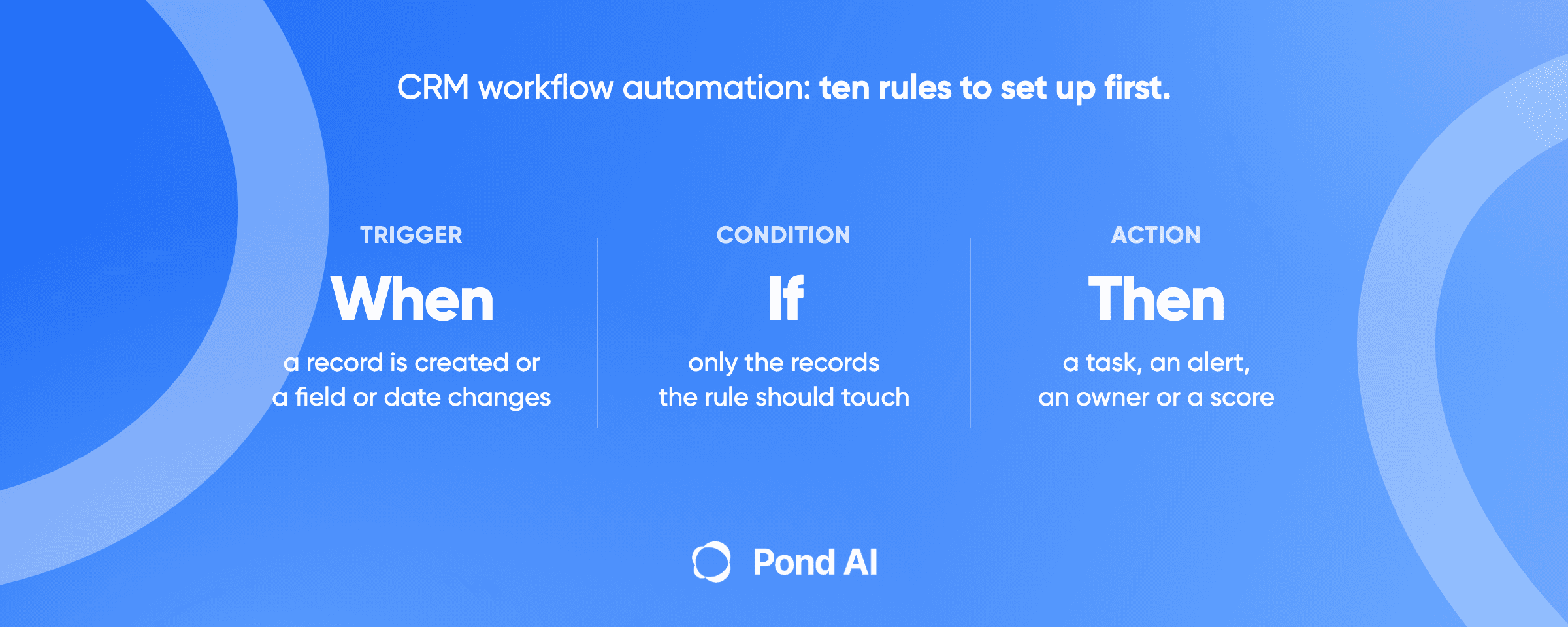
CRM workflow automation is a set of rules that run inside your CRM. Each rule has a trigger (a record is created, a field changes, a date arrives), an optional condition that narrows it, and an action the CRM takes without anyone clicking. Set up these ten first, in this order. Each needs two things: the fields it reads filled in, and a plan that includes the action. Test every rule on fake records before it touches a real lead.
The ten workflows, one line each:
- Lead assignment. Gives every new lead an owner the moment it lands.
- New-lead follow-up task. Puts a dated task on the owner's list for each new lead.
- Stage-change task. Creates the next step when a deal moves to a new stage.
- Deal-stage alerts. Tells a person or a Slack channel when a deal reaches a stage that matters.
- Stale-deal alert. Flags a deal nobody has touched in a set number of days.
- Close-date and renewal reminders. Schedules a call or task before a date on the record.
- Required fields at a stage. Stops a deal from moving forward until the fields the next step needs are filled in.
- Lead scoring. Adds and subtracts points for fit and engagement, so reps work the best leads first.
- Enrichment on record create. Completes company and contact fields from the CRM's enrichment source when a record is created.
- Closed-won handoff. Turns a won deal into a task, a channel or a project for the team that delivers.
Disclosure: Pond publishes this blog and builds custom AI agents. Every plan name and price below is the vendor's own, read on October 22, 2026, in US dollars.
What is a CRM workflow, exactly?
All four CRMs here use these three parts under different names. Pipedrive's automations guide splits an automation into a trigger event (the "if") and an action event (the "then"), with optional conditions between them, and gives the example of "scheduling an activity when a deal moves to a specific stage." Zoho's workflow rules are "a set of actions (email notifications, tasks and field updates) that are executed when certain specified conditions are met." HubSpot calls them workflows. Salesforce calls them flows, and keeps older tools such as assignment rules and validation rules beside them.
Why bother? In Salesforce's 2022 survey of 7,775 sales professionals, reps said they spend just 28% of their week actually selling, with the majority of their time going to other tasks like deal management and data entry. That vendor survey measures where time goes. It does not measure what any one workflow gives back. But record admin is work a CRM rule can do without a rep.
Connecting the CRM to other tools is a different job, covered in Pond's guide to CRM integration services.
The ten workflows, and what each one needs
Plan notes come from each vendor's own pricing page or help docs. Two apply throughout: HubSpot workflows start at Starter on Sales Hub, which allows up to 50 workflows "with restricted triggers and actions," and Pipedrive automations, date triggers included, need Growth or higher. The plan lines below add what differs. Where no source states a tier, the line says "check your plan."
1. Lead assignment
- Trigger: a lead or contact is created.
- Condition: territory, company size, source, or none (round robin).
- Action: set the owner.
- What it needs: clean values in the fields the rule matches on, and a fallback owner.
- Plan: HubSpot's Rotate record to owner action needs Sales Hub or Service Hub Professional or Enterprise. Salesforce marks Lead Assignment and Routing as included in every edition, Free Suite through Max. Pipedrive puts automatic routing on Premium. Zoho has no assignment rules on Free, 10 rules per module on Standard and 50 on Enterprise and Ultimate. On Zoho Free, routing has to be built as a workflow field update instead.
- Where it breaks: Salesforce assignment rules stop at the first matching entry. A lead that matches nothing goes to the default Web-to-Lead owner or the admin who ran the import.
Pond's speed-to-lead guide walks routing in depth, and the missed-call text-back guide covers the phone version.
2. New-lead follow-up task
- Trigger: a lead is created.
- Condition: it has an owner (so this runs after workflow 1).
- Action: create a task for the owner, due within a set time of creation.
- What it needs: workflow 1 working, and a due date defined relative to the trigger.
- Plan: HubSpot's Create task action carries no tier note. Zoho's own example is this workflow: "You may also want to create tasks for these new leads." In Salesforce, Flow Builder is excluded from Free and Starter Suite, capped at five flows per org on Pro Suite, and included from Core up. Starter Suite's card lists "Built-in Sales Flows and Lead Routing," not Flow Builder.
- Where it breaks: imports. Pipedrive says importing data does not fire event-triggered automations, except when the import updates or deletes leads, so a list of trade-show leads can arrive with no tasks.
3. Stage-change task
- Trigger: a deal's stage changes.
- Condition: the new stage is one you name (demo booked, proposal sent).
- Action: create the next activity for the deal owner.
- What it needs: stages that mean the same thing to every rep, and a relative due date.
- Plan: same as workflow 2. It is Pipedrive's own example.
- Where it breaks: a missing due date. Pipedrive says an automation that creates an activity with no date sets it for the same day, so a "send proposal" task lands due today even when the proposal is not due for days. Pick a relative date such as "In one day" instead.
4. Deal-stage alerts
- Trigger: a deal enters a stage that needs a person (negotiation, legal review, closed won).
- Condition: amount above a threshold, or a named pipeline.
- Action: notify a manager or post to a channel.
- What it needs: an amount field reps fill in, and Slack connected if the alert goes there.
- Plan: HubSpot's action list includes an internal email and an in-app notification. Its Slack docs mark the workflow Slack actions as needing a Professional or Enterprise subscription, so plan on Professional if the alert goes to Slack. Zoho's instant actions can "send notifications via Cliq, Slack or Cisco Webex." Salesforce: check your plan.
- Where it breaks: timing. Pipedrive automations check a condition once, unless you use a wait-for condition. An amount filled in after the stage change never fires the alert.
5. Stale-deal alert
- Trigger: a date field: last activity, or last stage change.
- Condition: the deal is open, and the date is more than a set number of days ago.
- Action: create a task for the owner, or alert the manager.
- What it needs: reps logging calls and emails, or the last-activity date means nothing.
- Plan: Zoho date rules can run on Last Activity Time. Pipedrive date triggers fire before or after a date field. HubSpot can delay a record until a date in a date property. Salesforce: check your plan.
- Where it breaks: the definition of a touch. Decide whether an automated email resets the clock before you build it.
6. Close-date and renewal reminders
- Trigger: a date on the record (expected close date, contract end date).
- Condition: the deal is still open, or the contract is active.
- Action: schedule a call or task a set number of days before the date.
- What it needs: a real date. A close date reps push forward every Friday makes every reminder late.
- Plan: on Pipedrive, date triggers allow "up to 180 days before and after the trigger date," and its own example is "scheduling a call a week before the expected close date of a deal." HubSpot's date-property delay does the same. For a custom contract-end field in Zoho or Salesforce, check your plan.
- Where it breaks: imports. Pipedrive says "automations based on date triggers can be activated through imports," unlike event triggers. Run a small test import before loading a full deal list.
7. Required fields at a stage
- Trigger: a rep moves a deal to the next stage, or saves a record.
- Condition: a field the next stage needs is empty (amount, decision maker, close date).
- Action: block the move or the save until it is filled in.
- What it needs: a short list. Require only what the next step reads.
- Plan: HubSpot's pipeline settings let you mark a stage property as required: "If a property is required, users cannot create or update the record until they set a value for it." The page states no tier, so check your plan. Salesforce validation rules check data "before the user can save the record," and the help page lists them under Salesforce's older edition names (Essentials, Professional, Enterprise, Unlimited and others) rather than the current suites. Pipedrive puts required and pipeline-specific fields on Premium. Zoho has validation rules from Professional (five per layout).
- Where it breaks: side doors. Salesforce says validation rules don't apply to records created with Quick Create. In HubSpot, score and calculation properties cannot be stage properties.
8. Lead scoring
- Trigger: a property changes or an engagement happens (a form, a click, a meeting).
- Condition: the points rules in your model.
- Action: update the score; a second workflow acts when the score crosses a threshold.
- What it needs: fit fields filled in, engagement tracked in the CRM, and a model (template below).
- Plan: contact scores in HubSpot are Marketing Hub only, on Professional (up to five scores) or Enterprise (up to 50), and the template below is a contact score. Sales Hub scores companies, and it scores deals with combined scores only. Sales Hub's pricing page lists up to five scores on Professional and up to 10 on Enterprise, and no lead scoring on Free or Starter. Salesforce's Sales Cloud lead scoring is not included on Free, Starter or Pro Suite, can be bought on Core, and is included on Advanced and Max. Pipedrive puts custom scoring models on Premium. Zoho scoring rules start on Standard (one rule per layout, 10 criteria), but Standard is limited to field-based and calls-based scoring; Professional allows 20 criteria.
- Where it breaks: scores that only go up. A lead who clicked a dozen emails last year still looks hot. Set decay and negative points from day one.
9. Enrichment on record create
- Trigger: a contact or company is created.
- Condition: key fields are empty.
- Action: fill them from the CRM's data source.
- What it needs: the identifiers the source matches on. For contact enrichment, HubSpot uses first name, last name and work email.
- Plan: HubSpot has an Enrich record workflow action, and its enrichment docs say enrichment does not consume HubSpot Credits and that automatic enrichment is turned off by default. Pipedrive enriches company data on Premium and contact email and phone on Ultimate. Zoho has no data enrichment on Free, 500 records per user on Standard, Professional and Enterprise, and 2,000 on Ultimate. Salesforce: check your plan.
- Where it breaks: a personal-email signup gives the source nothing to match. And HubSpot keeps existing values unless you choose to overwrite, so stale values stay put.
Enrichment adds data. Pond's guide to data cleansing services covers the separate job of fixing duplicates and bad formats already in the CRM.
10. Closed-won handoff
- Trigger: a deal's stage changes to closed won.
- Condition: pipeline or product line, if different teams deliver.
- Action: create the delivery task or record, notify the delivery lead, open a channel.
- What it needs: handoff fields filled in before the deal closes (workflow 7 enforces this), and a named delivery owner.
- Plan: HubSpot can create a task, send an internal email, and "Create a Slack channel from within HubSpot," an action "only available in company and deal-based workflows." HubSpot's Slack docs mark the channel action Professional or Enterprise too. Zoho rules can create a record on Professional and above. Pipedrive's action list includes projects and webhooks alongside deals and activities. Salesforce: check your plan.
- Where it breaks: per-rule limits. A single Zoho rule's instant action can carry at most "5 email notifications, 5 tasks, 5 field updates, 1 custom function, 1 webhook, and 1 create record."
A lead scoring template you can copy
HubSpot's lead scoring docs split scores into two kinds. Fit scores "qualify records based on their demographic information through property values." Engagement scores "qualify records based on their actions and interactions." The template keeps them as two scores, so a rep sees who the lead is apart from what they did.
It is a contact score, so on HubSpot it needs Marketing Hub Professional or Enterprise. With Sales Hub alone, build both scores on company records, where HubSpot bases engagement on associated contacts' activity.
Engagement score: HubSpot's published example, a contact engagement score (score limit 100)
Engagement with sales (group limit 60)
- Started a call: +15
- Booked a meeting: +10
- Completed a meeting: +20
Engagement with marketing (group limit 40)
- Clicked a call to action: +6
- Opened a marketing email: +2
- Clicked a link in a marketing email: +5
Check the arithmetic against HubSpot's worked example: a contact who books a meeting, opens two emails and clicks three links scores 29. That is 10 for the meeting, 4 for the opens and 15 for the clicks.
Everything below is our own starting template, not HubSpot's and not a benchmark. Tune it against the deals you closed.
Fit score (our values, limit 40)
- Company is in an industry you sell to: +15
- Contact's title is a buyer or decision maker: +15
- Company size is in your target range: +10
Negative points (our values; HubSpot's docs name both signals as examples)
- Unsubscribed from email: -15 on the engagement score
- Based in a region you do not serve: -40 on the fit score, which cancels it
Decay (our choice)
- Engagement points decay every three months. HubSpot lets you set decay every 1, 3, 6 or 12 months.
Thresholds and the workflow that acts on them (our values)
- Engagement under 30: stays in marketing nurture.
- Engagement 30 and up: the owner reviews it this week.
- Engagement 30 and up with a fit score of 25 and up: create a call task for the owner, due the same day.
HubSpot's example contact, at 29, stays in nurture. One more link click sends it to the owner for review, and a buyer title at a target-industry company makes that a same-day call.
Which plan you need, and what it costs
Prices read on October 22, 2026, US dollars, per user or seat per month.
HubSpot Sales Hub (annual billing, the page's default)
- Starter: shown at $7/mo/seat beside a struck-through $20/mo/seat.
- Professional: $90/mo/seat (struck-through $100), plus a required one-time onboarding fee of $1,500. Adds lead scoring, which on Sales Hub covers company and deal scores.
- Enterprise: $150/mo/seat, plus a one-time onboarding fee of $3,500.
- Free: no sales automation entry on the pricing table.
Salesforce
- Starter Suite: $25 per user per month, billed monthly or annually.
- Pro Suite: $100, billed annually.
- Sales Cloud Core $195, Advanced $395, Max $550, each billed annually. Approval Processes are included from Core.
Pipedrive (per seat per month, billed annually)
- Lite $14, Growth $39, Premium $59, Ultimate $79.
Zoho CRM (per user per month)
- Billed annually: Standard $14, Professional $23, Enterprise $40, Ultimate $52. Billed monthly: $20, $35, $50 and $65. Free covers three users.
The first tier that runs your own rules: HubSpot Starter (restricted triggers and actions), Pipedrive Growth (Lite has no automations), Zoho Free (five active rules per module), and Salesforce Free Suite (Lead Assignment and Routing), with Flow Builder from Pro Suite (five flows) and in full from Core. Some actions sit higher. HubSpot's Slack actions and round robin need Professional, and its contact scores need Marketing Hub Professional or Enterprise. Pipedrive puts routing, required fields and scoring on Premium. Zoho's validation rules and record creation start on Professional. Price the tier for the workflow you need most.
How to test a workflow before it touches real leads
A workflow can stop partway. In Pipedrive, an action whose condition is not met does not run, and neither does the next step. Pond's AI agent development page gives the upside of a fixed rule: "you can test it, because a fixed set of steps has a fixed set of ways to go wrong." So write down what "done" looks like for each rule, then try to break it.
- Write the expected result first. For workflow 1: "Every new lead gets an owner, and an unknown territory goes to the fallback owner." If you cannot write that sentence, the rule is not ready.
- Create test records built to fail. One that matches the rule, one that matches nothing, one with a blank field the rule reads, and one personal-email signup, all named as tests. If your plan has a sandbox, test there. Pipedrive lists one on Ultimate, HubSpot on Sales Hub Enterprise, and Zoho on Enterprise and Ultimate. Salesforce includes a Developer sandbox from Pro Suite, a Partial sandbox from Core, and a Full sandbox on Advanced and Max.
- Test every way a record gets in. Create one by hand, one through a form, and one by import. Pipedrive's event triggers skip imports that add records, and Salesforce validation rules skip Quick Create.
- Check the fallback. Make the Salesforce default Web-to-Lead owner a person who will notice an unmatched lead.
- Check the limits. Owners named in a Salesforce assignment rule cannot be marked inactive. A Pipedrive automation that creates a deal fails at that step if you are at your open deal limit.
- Turn it on for new records only, and read the results for a week. Compare the records the rule touched with the ones it should have. The gap is the bug.
When to set it up yourself, and when to get it built
Set it up yourself when the rule lives inside one CRM, your plan includes the action, and one person owns the CRM. Most of the ten fit that.
Get it built when one of these is true:
- The rule needs data from another tool. A deal that should wait for a signed contract, or a handoff into a project tool, is an integration, the kind of job you hire a Zapier expert, n8n consultant or Make developer for.
- The rule needs judgment. "Route the good leads to the senior rep" is a plain rule only if "good" fits in a field. If not, a model has to read the inquiry. Pond's agent development page says "A language model may sit inside a predefined step, reading a message or writing a first draft, and the thing is still a workflow." It points to an agent "If the system must decide what to do next," such as "Researching a company across whatever sources exist for it." Either way, set the pass mark first: "Write the threshold before the build starts, because afterwards it becomes a negotiation you will lose." Pond's guides to AI agent integration and to hiring an AI automation consultant cover the build.
- Nobody owns the CRM. An unwatched workflow breaks the day a field gets renamed.
Pond's homepage puts it plainly: "Think of us as a workflow automation consultant that also does the building." The agents it lists include "qualifying every new inbound lead and routing the best fits to your team," and its lead use case starts with research: "Research prospects, enrich contacts, score leads, and identify decision-makers." On the agent development page linked above, a build starts from your definition of done: "You send the spec and the acceptance test, Pond agrees the scope with you on a call, and you get a quote for that scope before any build starts."
A one-off build with a clear definition of done can also go on Pond's marketplace as a task. Pond charges 10% on top of the reward pool you set, per its data extraction guide, and unaccepted submissions are not paid.
If your workflows need to read more than one tool, or make a call a field cannot, mark which of the ten you have and which break, then book a 30-minute Custom Agent Consultation to "map out a custom AI agent for your business."
Frequently asked questions
What are some examples of CRM workflows?
The ten worth setting up first are lead assignment, new-lead follow-up tasks, stage-change tasks, deal-stage alerts, stale-deal alerts, close-date and renewal reminders, required fields at a stage, lead scoring, enrichment on record create, and a closed-won handoff. Start with assignment, because most of the tasks and reminders go to the record's owner.
What is CRM workflow automation?
Rules that run inside a CRM without anyone clicking: a trigger, an optional condition, and an action such as a task, an owner change or a notification. HubSpot calls them workflows, Pipedrive automations, Zoho workflow rules, Salesforce flows. A rule only works when the fields it reads are filled in and your plan includes the action, so test it on fake records first.
Do I need HubSpot Professional for workflows?
Not for basic ones. On Sales Hub, the Starter tier includes up to 50 workflows with restricted triggers and actions. Professional raises that to 300 fully customizable workflows, with a required one-time onboarding fee of $1,500, per HubSpot's pricing page on October 22, 2026. HubSpot's workflow-actions docs put round robin (Rotate record to owner) on Professional and Enterprise. Lead scoring on Sales Hub Professional covers companies and deals; contact scores need Marketing Hub Professional or Enterprise.
How do you calculate a lead score?
Give points for fit (who the lead is) and engagement (what they did), subtract points for bad signals, and cap each score. In HubSpot's example, with a limit of 100, a booked meeting earns 10, an email open 2 and a link click 5, so a contact who books a meeting, opens two emails and clicks three links scores 29. Add decay so old activity stops counting.
What is the difference between CRM automation and CRM integration?
CRM automation runs rules inside one CRM: assign this lead, create this task. CRM integration moves data between the CRM and other tools, such as HubSpot and Salesforce, or a CRM and a data warehouse. A rule that has to wait on another tool, such as a signed contract in an e-signature app, needs an integration.
Will AI agents replace CRM workflows?
Not on the evidence of what the vendors sell today. HubSpot now sells custom agents on Sales Hub, and Salesforce sells Agentforce agents as an add-on on Core and Advanced, both next to their workflows. Rules handle the fixed steps: assign, remind, require. On Pond's agent development page, a model reading an inquiry inside a fixed step is still a workflow. Agents take jobs where the next step depends on what the system finds, such as researching a company, so qualifying a lead can be either.