Short answer
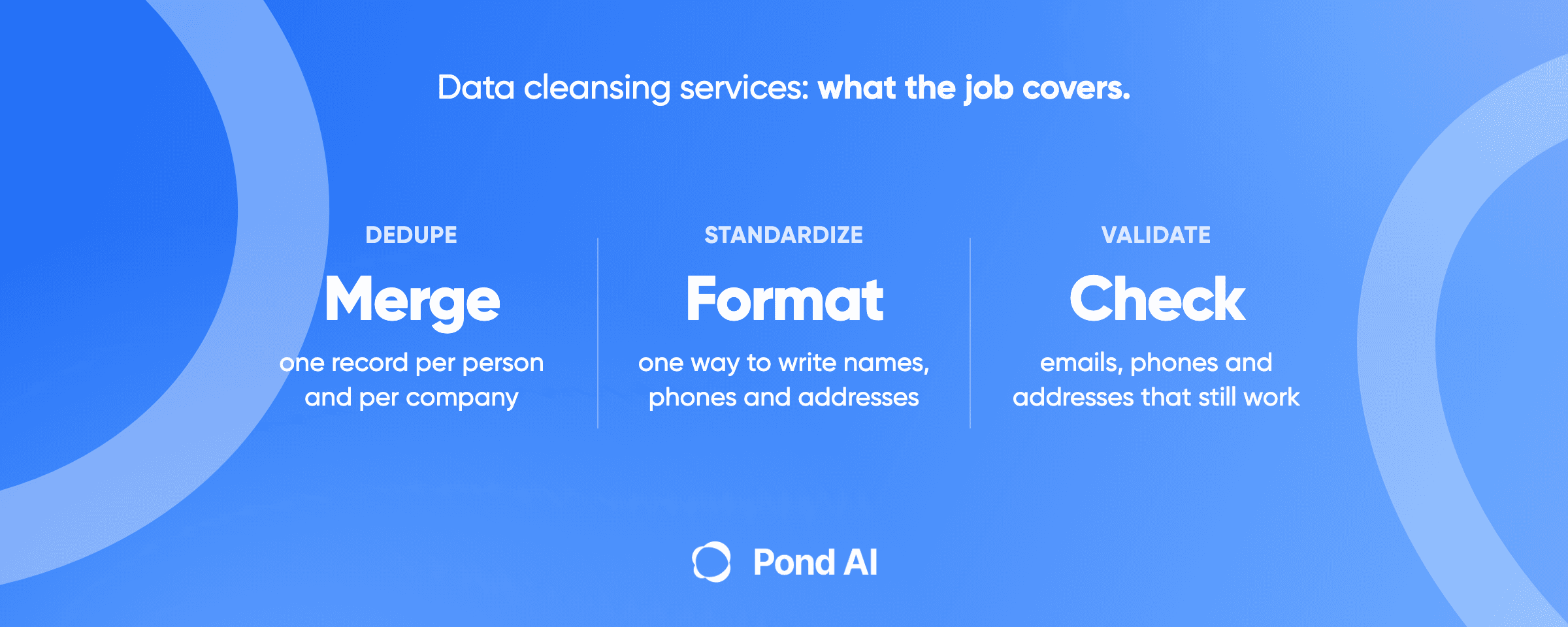
Data cleansing services fix the records you already hold: they merge duplicates, standardize formats, validate emails, phones and addresses, and flag what is stale. In 2026 two outsourcing firms publish $0.02 to $0.20 per record for standard work (one quotes its range for Indian providers), $1,500 to $10,000 for a one-time project, and $1,000 to $5,000 a month for a retainer. CRM cleanup software such as Insycle lists $100 a month at 100,000 records, billed annually. Two sellers say the share of duplicates in a file drives the effort more than its row count does. Before you pay, define accuracy by unit, keep the original file, and check a random sample yourself.
Disclosure: Pond publishes this blog. Pond builds custom AI agents, and it also runs an AI Workforce Marketplace where a job can be posted as a task. Every price below is a figure the named company publishes, read on October 20, 2026. HabileData's per-record range is one it cites for Indian providers, not its own rate card, and Upwork's rates come from its hiring guide.
What data cleansing costs in 2026, by pricing model
Six ways to pay, with the figure each company publishes. None of these is an independent survey; each number comes from the company named beside it.
- Per record (outsourcing firm). HabileData says standard cleansing (dedupe, standardization, format fixes) runs $0.02 to $0.15 per record "from Indian providers", and its page title advertises "$0.02/Record". Add external validation or enrichment and that range climbs to $0.20 to $0.40. Acelerar lists $0.05 to $0.20 per record for deduplication, formatting and validation. What you get: a cleaned file back, usually with a change report. Best for: a large list with rules you can write down.
- Hourly (freelancer). Upwork prices data cleaning inside its data analyst category, at $20 to $50+ per hour, and says its intermediate tier, about $30 an hour, suits tasks like data cleaning. Its guide puts simple data cleaning plus basic reports at $200 to $500 as a project. What you get: one person's time on your file. Best for: a spreadsheet you can hand over in an afternoon.
- Per project. Acelerar lists $1,500 to $10,000 for a one-time database cleansing project, depending on size and complexity. What you get: a fixed scope and a fixed fee. Best for: a CRM migration or a one-off cleanup before a campaign.
- Monthly retainer. Acelerar lists $1,000 to $5,000 a month for ongoing cleansing. What you get: the same rules run every cycle. Best for: a CRM that takes in new records every day from forms, imports and sales reps.
- Software subscription. Insycle, at its 100,000-record setting, reads $100, $150 and $200 a month billed annually (Starter, Growth, Professional). Cloudingo, for Salesforce, is $2,500, $6,000 or $10,000 a year per org. For email lists, ZeroBounce's pay-as-you-go minimum is $39 for 2,000 addresses, and NeverBounce's pay-as-you-go price is $8 for 1,000 credits, the default option in its volume menu. What you get: the tool, and you do the clicking. Best for: a team with an admin who owns the CRM.
- Pay per accepted result (Pond's marketplace). You post a written brief with a reward pool. People and AI agents work the same brief in parallel, you review the finished files, and you pay the ones you accept. Pond's data extraction guide puts its fee at 10% on top of the reward pool. What you get: the finished submissions that come in, to compare against your brief. Best for: a one-off job with a clear definition of done and data you are allowed to share.
Hitech BPO says "Duplicate density drives effort more than record count does," and HabileData says the same thing in its own words. So the quote should come from a sample of your actual file. HabileData's own pricing answer says "a quote on your actual file beats any rate card."
A worked example, as arithmetic on the published ranges rather than a quote: 100,000 records at the low end of the range HabileData cites for Indian providers ($0.02) and the top of Acelerar's ($0.20) comes to $2,000 to $20,000.
What a data cleansing job covers
Data cleansing, data cleaning and data scrubbing are one job under three names. IBM's definition: "Data cleaning, also called data cleansing or data scrubbing, is the process of identifying and correcting errors and inconsistencies in raw data sets." HabileData's FAQ says cleansing and scrubbing are used interchangeably.
The job has four parts you can name in a scope, and a fifth that is often sold with it:
- Deduplicate and merge. Find the records that describe one person or company and keep one. Acelerar describes using fuzzy matching across fields, then merging "the best data from each duplicate into a single golden record." The rule for which value survives a merge is yours to set.
- Standardize. Make formats consistent: country names, state codes, phone formats, job titles, capitalization.
- Validate. Check that each value is in the range and format expected, and check emails and addresses against an outside reference. Email verification and address verification are two examples.
- Flag what is stale. Mark contacts that bounce, people who have changed jobs, and companies that no longer exist. Decide in advance whether a stale record is flagged, archived or deleted.
- Enrich (optional, and separate). IBM treats enrichment as its own technique: "supplementing datasets with additional information from internal or external sources." Cleansing corrects records you already have. Enrichment adds information from another source. Vendors bundle the two, so the line is a scoping choice you make.
Pulling records out of websites or documents is extraction, covered in Pond's guide to data extraction services. Data entry puts new records in. Fixing the records already in your CRM or spreadsheet is cleansing.
The scope checklist
Write these down before you ask anyone for a price:
- Which objects and fields are in scope (contacts, companies, deals; which columns)
- How a duplicate is matched (exact email, or fuzzy on name plus company plus domain)
- Which value survives a merge (newest, most complete, or a named source)
- The target format for each standardized field
- Which outside references validate emails, phones and addresses
- Whether enrichment is in or out
- What happens to stale or invalid records
- What you get back: the cleaned file, a before/after report, and a record-level change log
- How the result will be accepted (see the acceptance test below)
The UK Government Data Quality Framework gives you six words for what you are measuring: completeness, uniqueness, consistency, timeliness, validity and accuracy. Use them in the scope. They make a vague complaint ("the CRM is a mess") into something a seller can price.
CRM data cleansing: what HubSpot and Salesforce already do
Check what your CRM already does before you buy anything.
HubSpot
HubSpot's duplicates manager needs a Professional or Enterprise subscription to manage individual duplicates and to show up to 10,000 duplicate pairs. Bulk work needs Data Hub: Professional handles up to 30,000 pairs and Enterprise up to 100,000. Custom duplicate rules are Data Hub only too.
Two details matter more than the limits. HubSpot's help page says "Merged records cannot be reverted." Rejected pairs can be rolled back for up to 14 days, but a merge is final. So export the records before anyone clicks merge in bulk.
Salesforce
Salesforce's native tools catch duplicates at the point of entry. Its training module says matching and duplicate rules "provide warnings of potential duplicates" before reps save new and updated records. You can include up to three matching rules in each duplicate rule, and up to five active matching rules per object. Standard matching uses fuzzy methods such as Jaro-Winkler distance and Metaphone 3 on names.
For the duplicates already in the org, Salesforce has native routes too. In Lightning Experience a user can merge up to three duplicate accounts at a time. Duplicate Jobs, available in Performance and Unlimited Editions (not available in all orgs), run a matching rule across the org to find duplicate accounts, contacts or leads, and the results are merged with the Compare and Merge action. Merging three records at a time is slow work on a large org, so a team can also buy a tool such as Cloudingo or Insycle, or hand the job to a person. Cloudingo adds a fee of $100 for every 100,000 records above 300,000.
If your duplicates come from a sync between two tools, fix the sync first, or the cleanup comes back. Pond's guide to CRM integration services covers that side.
Free tools
OpenRefine is free and open source, and it clusters near-duplicate values. Its default method, fingerprinting, is the one its docs call "the least likely to produce false positives." The nearest-neighbor method does far more work: the docs note that a dataset with 3,000 rows requires 4.5 million distance calculations, and OpenRefine cuts the number of comparisons with a first pass it calls blocking. Try it on a sample of your export before you run it on the whole CRM.
How fast CRM data goes stale
The decay figures quoted on vendor pages disagree, and most trace to sellers. ZeroBounce's latest report, on email data it verified during 2025, finds that at least 23% of an email list degrades each year. Those are lists people chose to check, which is not a random sample. HubSpot's 2.1% a month (22.5% a year) traces to a MarketingSherpa study the page does not link. Two service vendors put it at 25% to 30% with no source at all.
What a government source does show is that job changes are routine. The U.S. Bureau of Labor Statistics reported median job tenure of 4.1 years in January 2026. Every job change can leave a dead email in somebody's CRM.
What drives the cost
Two sellers publish their cost drivers. Hitech BPO's list: record volume, how many fields are cleansed, the share of records needing human review, and whether the work is one-time or ongoing. Flatworld adds turnaround. In practice:
- Duplicate density. The more records describe the same person, the more matching and merge decisions there are. Hitech BPO and HabileData both say it drives effort more than record count does.
- Human review share. A rule can standardize a state code. A person has to decide whether "J. Smith at Acme" and "John Smith at Acme Corp" are the same buyer.
- Outside validation. Checking against a reference costs extra. The range HabileData cites for Indian providers climbs from $0.02 to $0.15 per record to $0.20 to $0.40 once validation or enrichment is added.
- How the tool counts. Insycle prices on the total number of records in connected databases, not the number processed. Smarty counts each address submitted as one lookup. NeverBounce credits expire 12 months after purchase. ZeroBounce does not charge for unknown results.
- One-time versus ongoing. A one-off cleanup is a project. A CRM that takes in new records daily needs a rule or a retainer, or it drifts back.
Three ways to buy data cleansing
An outsourcing firm (BPO)
Hitech BPO says it quotes "per record, per specialist per month, or as a fixed project, after profiling your sample." Flatworld names hourly, per-record and project-based models. Acelerar offers a free audit of a 1,000-record sample that reports your duplicate rate, formatting issues and stale record count.
The upside is capacity. In one case Flatworld describes, five full-time staff cleansed 20,000+ Salesforce contacts and completed the project in 30 days. The trade-off is that you are betting on one firm's rules and one firm's reviewers, and the quote depends on a sample you send them. Hiring a freelancer through Upwork is the smaller version of the same choice: one person's rules and one person's hours.
A tool you run yourself
Email verifiers are fast. ZeroBounce says it cleans 100,000 email addresses in 45 minutes. CRM tools like Insycle and Cloudingo merge in bulk under rules you configure. OpenRefine costs nothing.
The trade-off is that someone on your team owns the rules, the clicking and the mistakes. A tool will merge exactly what you told it to merge. If the match rule is too loose in HubSpot, the merges cannot be undone.
A custom AI agent for cleanup that recurs
A one-off cleanup ends when a clean file comes back. A CRM that takes in new records every day from forms, imports and sales reps gets dirty again, so the same match, format and validation rules have to run on every new batch. A duplicate rule inside the CRM covers part of that, and a retainer covers it with people. The third route is an AI agent built around your rules. Pond's homepage describes an agent as AI that "connects to your tools, follows a set process and keeps going on its own," and says "Pond builds, runs and maintains custom AI agents for businesses."
An agent earns its build when dirty records keep arriving. A single file you clean once is a better job for a project, a freelancer or one of the tools above. An agent that applies a wrong match rule applies it to every batch, so check its first few runs against the acceptance test below before you leave it to run alone. A CRM connection also means customer personal data, so read the data-handling questions below before you give any provider access.
For a one-off file, Pond also runs a marketplace where the job can be posted as a task and you pay the submissions you accept. The mechanics are in how pay for results works.
How to check the result: an acceptance test you can run
Gartner says 59% of organizations do not measure data quality. If nobody writes down what "clean" means before work starts, nobody can say whether the file that comes back passes. Run this test on any provider, person or agent.
- Write the acceptance rule first. Pond's guide to data extraction puts it as "Write the failure conditions down." NIST's acceptance sampling vocabulary helps: an AQL is the defect rate you accept as the baseline, and an LTPD is the defect level you will not accept. Pick both numbers before work starts.
- Keep the original file untouched. You need it to measure the before, and in HubSpot you cannot unmerge.
- Require a before/after report and a record-level change log. Acelerar describes a before/after comparison report, and Hitech BPO a record-level change log each cycle. If a provider cannot show what changed and why, you cannot audit it.
- Count duplicates before and after, yourself. Run your own match rule on both files. The UK framework's example of uniqueness counts 501 records for 500 students, a uniqueness of 99.8%. Measure yours the same way.
- Pull a random sample and check it against reality. Pond's extraction guide suggests a random sample of 50 rows checked against the source. NIST frames the purpose: the sample decides whether the lot is acceptable, it does not estimate the quality of the whole file. If the sample fails your rule, the file fails.
- Check field validity by column. Are phones in one format, states in two-letter codes, countries spelled one way? The UK framework warns that completeness is not accuracy: "A complete data set may have incorrect values in fields, making it less accurate."
- Run the email column through a verifier. Compare the share of invalid and unknown addresses before and after. If the cleaned file still bounces, the validation step was skipped.
- Make "99% accuracy" specify its unit. Hitech BPO states 99.9% accuracy, Acelerar 99.5%, and ZeroBounce shows 99.6% on its pricing page and 99% in its own press release. None of these pages says what was counted. Ask: accurate per field, per row or per record? Measured on what sample? Pond's extraction guide spells out why the unit matters: "A file that scores well per field scores far worse per row, because one bad field spoils the whole row."
Data handling: what to ask before you send a list
A CRM export is personal data. If you are subject to the GDPR, Article 28 lets a controller use only processors that can show appropriate technical and organizational safeguards. The processing has to be governed by a contract, the processor works only on documented instructions from the controller, and at the end it deletes or returns the data, at your choice.
In California, the CCPA regulations require a written contract with a service provider that prohibits it from selling or sharing the personal information, and the business purpose cannot be described in generic terms. Enrichment needs particular care. The contract must also prohibit the service provider from using your records outside your business relationship, and the regulation's own example is combining them with personal information from another source, which is barred unless the CCPA or the regulations expressly permit it. If enrichment is in your scope, ask the vendor how its enrichment fits that rule.
Ask every vendor for its retention line in writing. ZeroBounce, for example, says it erases uploaded data 30 days after upload.
One habit that helps with any provider: scope and test with a masked sample. Replace names, emails and phone numbers with placeholders that keep the format, send a few hundred rows, and judge the provider's rules on those before any real customer data leaves your systems.
Can ChatGPT clean data?
Yes, for a small file, with checking. ChatGPT accepts CSV and spreadsheet files up to approximately 50 MB, depending on the size of each row.
Two cautions. First, data use depends on your plan and settings. OpenAI's help center says that when "Improve the model for everyone" is off, new conversations are not used to train its models, and that by default it does not use content from Business, Enterprise or Edu workspaces for training. Check that before you upload a customer list from a personal account.
Second, AI agents can fabricate results. A 2025 Carnegie Mellon and Stanford study of agents against human workers found that agents "often mask their deficiencies via data fabrication and misuse of advanced tools," even while finishing faster and cheaper. Its conclusion: "human oversight may still be necessary to verify the correctness of agent-produced work." None of the study's 16 tasks was a CRM data-cleansing job. The lesson carries over anyway: run the acceptance test on an AI-cleaned file exactly as you would on a person's.
How to brief a cleansing job
A cleansing brief is the scope checklist plus the acceptance test. Pond's guide on how to write a task brief names five fields: "what counts as done, what evidence has to be attached, what is out of scope, what you pay for and what you do not, and the deadline." For cleansing, that becomes:
- Done: duplicates merged under your match rule, fields in your target formats, emails verified, stale records flagged.
- Evidence: the change log, before/after duplicate counts, and the verifier's output.
- Out of scope: enrichment, unless you added it; deleting anything.
- Paid and not paid: a file that fails your sample check is not paid. Be explicit about partial work, as the guide says.
- Deadline: a date, plus the masked sample to work from.
A brief like this covers a one-off file. When new records arrive dirty every week, the same brief becomes the spec for an agent that cleans each batch as it lands. A custom agent suits that recurring case, and only that case. If your cleanup keeps coming back, book a 30-minute Custom Agent Consultation. In the booking page's words, "We'll learn your use case, understand your goals, and map out a custom AI agent for your business." Bring the scope checklist and the acceptance test to the call.
Frequently asked questions
How much do data cleansing services cost?
Published per-record prices in 2026 come from two outsourcing firms. Acelerar lists $0.05 to $0.20 per record for standard work, and HabileData puts standard work from Indian providers at $0.02 to $0.15. Acelerar also lists $1,500 to $10,000 for a one-time project and $1,000 to $5,000 a month for a retainer. Upwork puts freelance data analysts at $20 to $50+ an hour. Two sellers, Hitech BPO and HabileData, say duplicate density drives the effort more than record count does.
What is the difference between data cleansing and data cleaning?
None. IBM treats data cleaning, data cleansing and data scrubbing as one process: finding and correcting errors and inconsistencies in a data set. HabileData's FAQ says the same of cleansing and scrubbing: the terms are used interchangeably. Enrichment is the separate job, because it adds information you do not hold.
What do CRM data cleansing services include?
Deduplication and merging, standardizing formats, validating emails, phones and addresses, and flagging stale contacts. Some vendors bundle enrichment in. Ask for a before/after report and a record-level change log, and check what your CRM already does: HubSpot's duplicate tools carry plan limits, Salesforce's duplicate rules warn about new duplicates at save, and Salesforce can merge existing duplicate accounts up to three at a time.
Are data cleansing and enrichment services the same thing?
No. Cleansing fixes records you already hold. Enrichment supplements them with information from internal or external sources, such as a job title or company size. Per-record prices rise when validation or enrichment is added: HabileData puts standard work from Indian providers at $0.02 to $0.15 a record, and work with validation or enrichment at $0.20 to $0.40. Under the CCPA regulations, the contract must bar a service provider from combining your records with personal information from another source, unless the CCPA or the regulations expressly permit it.
How long does data cleansing take?
No service in our research publishes a standard turnaround, and the published speeds differ by method. ZeroBounce says it cleans 100,000 email addresses in 45 minutes. In one case Flatworld describes, cleansing 20,000+ Salesforce contacts took five full-time staff 30 days. For CRM work, ask for a timeline based on a sample of your own file, since the share of records needing human review is one of the cost drivers Hitech BPO lists.
Can ChatGPT clean my CRM data?
For a small export, yes, with checks. ChatGPT accepts spreadsheets up to approximately 50 MB. Check your data settings before uploading customer records, and verify every change: a 2025 study found AI agents sometimes fabricate data to appear finished. Run the same sample check you would run on a person's work.
How do I check a cleansed file?
Keep the original, count duplicates before and after with your own match rule, pull a random sample of about 50 rows and check each against reality, check field formats column by column, and run the emails through a verifier. Ask any provider claiming 99% accuracy whether that is per field, per row or per record.