Short answer
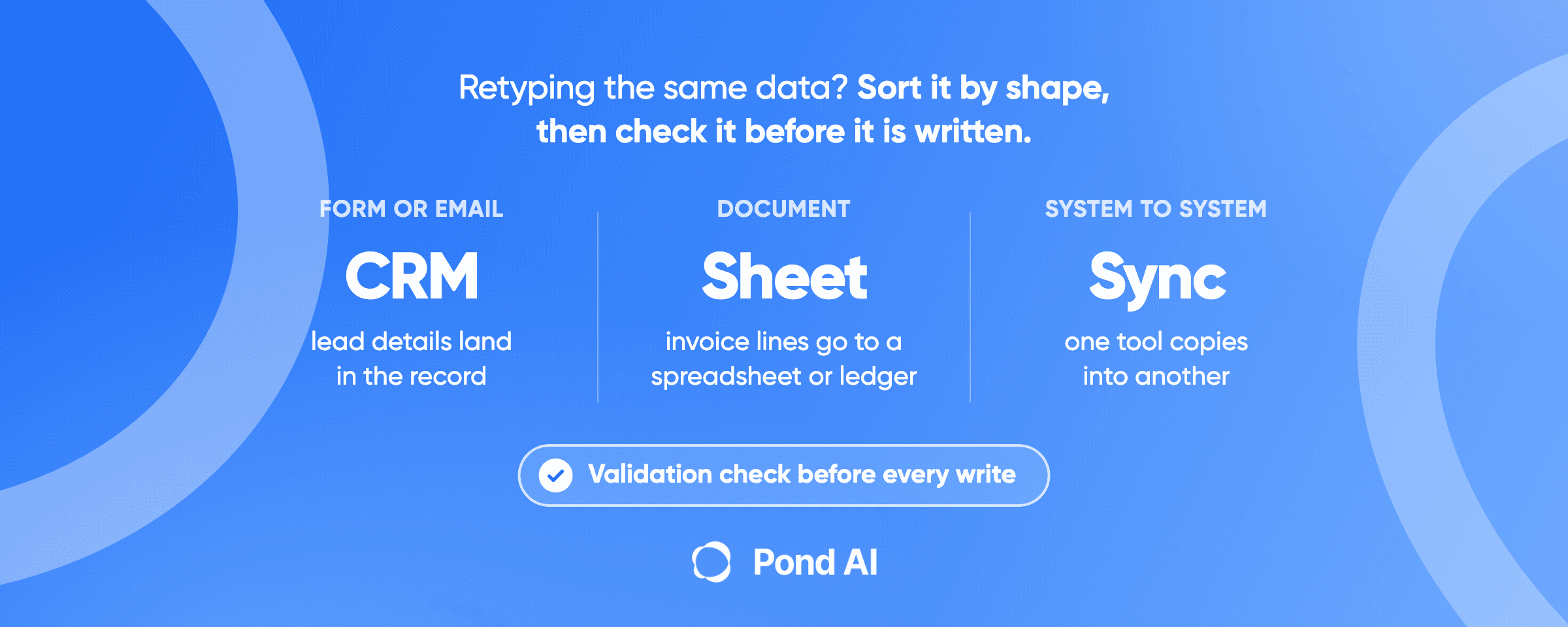
Data entry automation moves a record from where it arrives into the systems that need it, without a person retyping it. We sort the work into three shapes: a form or email into a CRM, a document into a spreadsheet or accounting tool, and one system copying into another. When your software cannot do the job on its own, the setup needs a tool, a validation step and a queue where a person reviews uncertain values. Have it built when the job crosses several systems, reads documents that vary, or needs a judgment call.
Disclosure: Pond publishes this blog and builds custom AI agents. Every third-party plan name and price below is the vendor's own, read on October 26, 2026, in US dollars.
Which kind of data entry are you automating?
Sort the job before you pick a tool, because each shape has a different fix.
1. A form or email into your CRM
- Your software may already do it: HubSpot matches a form submission to an existing contact by email address and adds the new details to that contact.
- Tool that handles it: a workflow automation tool such as Zapier, Make or n8n. Zapier's guide says that if you need to "round up data from website forms, emails, and social media messages and herd it all into your CRM", workflow automation does it. The Professional plan on Zapier starts at $19.99 a month billed annually.
- Build it when: the email is free text, such as a customer asking for a quote in their own words, and someone has to decide which fields it fills.
2. A document into a spreadsheet or accounting tool
- Your software may already do it: Excel can restrict what goes into a cell, but it does not read the document for you.
- Tool that handles it: a document or email parser such as Parseur, whose paid plans start at $49 for 100 pages, billed monthly.
- Build it when: the documents vary by sender, the values land in an accounting or ERP record, or a total has to match an order. Invoices are a common example, and Pond's guide to purchase order automation covers the approval side.
3. One system copying into another
- Your software may already do it: check for a native integration between the two tools first.
- Tool that handles it: workflow automation on a trigger. n8n's Starter plan is $20 a month billed annually for 2.5K workflow executions.
- Build it when: more than two systems are involved, a record needs a lookup in one before it is written to another, or the tools have no connector. That is integration work, and Pond's guide to CRM integration services covers how to scope it.
Two neighboring jobs are not data entry. Pond's data cleansing guide draws the line: pulling records out of websites or documents is extraction, "Data entry puts new records in", and fixing records already in a CRM or spreadsheet is cleansing. If your problem is getting the data in the first place, read Pond's guide to data extraction services instead.
What does your software already do before you buy anything?
Start with the tools you pay for. Two common features cut duplicates and typos on their own.
HubSpot deduplicates by email. Its knowledge base says that for a form submission, "if a contact already exists in your account with the same email address, the new contact information will be added to the existing contact." An import works the same way: a matching email updates the existing contact instead of creating a new one, and only the properties you map are updated. So a HubSpot form does not need a tool in the middle to avoid duplicates.
Excel validates entry. Microsoft's support page says to "Use data validation to restrict the type of data or the values that users enter into a cell, like a dropdown list." The rule types include whole number, decimal, date and time. If people still key data into a sheet, a dropdown and a date rule stop the worst typos before any automation exists.
The two features do not move data between systems. That is where the tools come in. For rules that run inside one CRM, such as assigning an owner or setting a follow-up, Pond's guide to CRM workflow automation lists the ones worth setting up.
What do data entry automation tools cost?
Two tool classes cover the three shapes above. Workflow automation moves data between apps on a trigger. A document parser reads a PDF or an email and turns it into fields. Prices below were read on October 26, 2026.
Workflow automation
- Zapier: Free at $0 a month with 100 tasks per month and two-step Zaps. Professional starts at $19.99 a month billed annually, or $29.99 billed monthly, with multi-step Zaps, webhooks and AI fields. Team starts at $69 a month billed annually, or $103.50 billed monthly, for up to 25 users.
- n8n (cloud): Starter $20 a month billed annually for 2.5K workflow executions, and Pro $50 a month billed annually for 10K. n8n defines the unit: "An execution is a single run of your entire workflow."
- Make: bills in credits. "As of August 27, credits are the billing unit in Make." Most actions use one credit, and the Free plan has 1000 credits per month. Check the paid plan prices on Make's own page.
Document parsing
- Parseur: prices by pages processed. The free tier "includes 20 pages every month". Paid plans billed monthly start at Micro, 100 pages for $49, with Starter at 1,000 pages for $129 and Pro at 10,000 pages for $499. Larger page tiers sit above Pro.
The units differ, so compare them on your own volume. Zapier counts tasks, Make counts credits, n8n counts whole workflow runs and Parseur counts pages. The same invoice workflow can cost very different amounts on each meter. If you would rather hire someone to set the tool up, Pond's guide to hiring a Zapier expert, n8n consultant or Make developer covers the rates.
Is automated data entry more accurate than a person?
Not by default. Accuracy comes from the checks around the entry, whether a person or a machine does the typing.
The error rates below come from clinical research, which counts keying errors field by field. A systematic review and meta-analysis of papers published from 1978 to 2008 found pooled error rates of 0.29% for single-data entry, 0.14% for double-data entry and 0.74% for optical scanning. It is a preprint, and it measures clinical data, not office records. The spread matters more than the average: "single-entry error rates ranged from 4 to 650 errors per 10,000 fields".
A PLoS ONE study of patient questionnaires agrees that double entry beats single entry. It found 0.370 errors per 1000 fields for single-key entry against 0.046 for double-key entry.
Two lessons carry over to a business workflow:
- Optical reading is not automatically better. The meta-analysis cites one study that found optical error rates three times higher than manual keyboard entry, while the PLoS ONE study found no statistical difference between optical mark recognition and double entry. The result depends on the setup.
- Check every value by program before anyone checks by eye. The review argues that "using manual visual verification is likely less effective than OSCs". OSCs are on-screen checks: programmed edit checks that run during entry and fire when they find a discrepancy. Human review still has a place, for the values the checks flag and for spot samples, but it comes after the programmed checks.
So the useful question is not person against machine. It is whether the workflow checks each value before it is written.
The validation step: six checks before a record is written
Zapier's guide puts validation after the fields are extracted and before the data is routed and written to the destination app. It describes the step as "a quality check to ensure the information is accurate and adheres to your specific formatting rules." Here is what that step should check.
- Required fields are present. A record missing an email address or an invoice number stops here instead of creating a half-empty row.
- Each value matches its type and format. Dates are dates, amounts are numbers, a state field holds a state. This is the same idea as Excel's data validation rules, applied before the write.
- Values exist where they should. A customer ID or a product code is looked up in the system it comes from before the record is created.
- The record is not a duplicate. Match on the field your system treats as unique, such as email in HubSpot.
- Totals add up. Line items sum to the total, and the total matches the order it belongs to.
- Uncertain values go to a person. Anything the reader was unsure of waits in a review queue.
The sixth check matters most when AI reads the document. OpenAI's Structured Outputs feature "ensures the model will always generate responses that adhere to your supplied" JSON Schema. That covers the shape of the output. The page does not promise that the values the model extracts are correct, so checks one to five still apply.
The vendors that sell extraction say the same about review. Amazon Textract returns a confidence score for each item and notes that "detections with a low confidence might need visual confirmation by a human." AWS also sells a service to "get human review of low-confidence predictions or random prediction samples", with the example that "extracting information from scanned mortgage application forms can require human review due to low-quality scans or poor handwriting."
When is a tool enough, and when should you have it built?
Zapier's own guide names three things that trip people up. The first is bad input: "Garbage in, garbage out applies to data automation too." The second is regulation, where it advises you to "include human review steps for sensitive data". The third is complexity, where the advice is to "automate one workflow, make sure it runs cleanly, then build from there."
That gives a working rule.
A tool is enough when:
- the data arrives in a fixed shape, such as a web form;
- it moves between two apps that both have connectors;
- a wrong value is cheap to fix.
Have it built when:
- the record touches more than two systems, or needs a lookup before it is written;
- the documents vary, and a parser template per sender would never end;
- someone has to make a judgment, such as which customer a free-text email belongs to;
- the record lands in an accounting or ERP system, where a wrong value costs money;
- the data is sensitive, and the review steps have to be designed in from the start.
Upwork's data entry tools guide ends by sending you to hire a person, under the heading "Simplify data entry by hiring a professional". A good clerk adds capacity. The retyping stays, and if the same data still goes into three systems by hand, you pay for it again every month.
How do you get data entry automation built on Pond?
Pond's homepage lists the job directly: "Automate data entry, reporting, document processing, and other manual tasks." It says an agent "can work with your CRM, email, spreadsheets and other tools".
Start with what counts as done. Pond's guide to writing a task brief names the fields: "what counts as done, what evidence has to be attached, what is out of scope, what you pay for and what you do not, and the deadline". For data entry, the acceptance test is a sample batch of real records and the result each one should produce.
Then pick a route.
- A custom build, for the ongoing job. Per Pond's agent development page, "You send the spec and the acceptance test, Pond agrees the scope with you on a call, and you get a quote for that scope before any build starts." Use this when the agent will run your data entry every day, inside your own systems. Connector work to a specific app falls under Pond's API integration builds.
- A one-off Task, for a scoped build. A piece of work with a clear end can go on Pond's AI Workforce Marketplace as a Task, for example a parser for three invoice layouts, handed over with a test file. Task Solvers compete on your brief. You, as the Task Poster, review the finished submissions and pay the ones you accept, as Pond's pay-for-results guide explains. Pond charges 10% on top of the reward pool you set. The Tasks page has the Create Task button.
Know the limit of the Task route. Pond's own data extraction guide lists work that "needs access to sensitive internal systems" among the cases not to post as a Task. Running data entry inside your CRM or accounting tool usually needs that access. So post the scoped build as a Task, and keep the ongoing job on a custom build.
If you retype the same record into more than one system, write down the three shapes your work takes and one line on what counts as done for each. Then book a 30-minute Custom Agent Consultation to "map out a custom AI agent for your business."
Frequently asked questions
What AI tool can I use to automate data entry?
It depends on the shape of the job. For a form or email into a CRM, a workflow automation tool such as Zapier, Make or n8n moves the data. For PDFs and emails that need reading, a document parser such as Parseur turns them into fields. For work that crosses several systems or needs a judgment call, a custom-built agent fits better than a single tool.
Can AI do data entry accurately?
Yes, with a validation step and human review. OpenAI's Structured Outputs keeps a model's output in the shape you define, but that is a promise about format, not about the values. Amazon Textract gives each extracted item a confidence score and says low-confidence items might need a person to confirm them. Check every value before it is written, and send uncertain ones to a review queue.
How do I automate data entry in Excel?
Start inside Excel. Data validation restricts what goes into a cell, with dropdown lists and whole number, decimal, date and time rules. To fill the sheet without typing, connect a form or a document parser to it with a workflow automation tool, and keep the validation rules on the columns it writes to.
What are the three types of data entry automation?
There is no standard list. A practical split by the job's shape is: a form or email into a CRM, a document into a spreadsheet or accounting tool, and one system copying into another. Shapes one and three use workflow automation, shape two uses a document parser, and each shape has its own reason to have it built.
Is data entry still in demand?
Fewer jobs, on current projections. The U.S. Bureau of Labor Statistics projects data entry keyer jobs to fall from 131.8 thousand in 2025 to 98.2 thousand in 2035, a drop of 25.5%. It lists the occupation among the fastest declining, with a 2025 median annual wage of $41,340.
What does it cost to have data entry automation built?
On Pond, a custom build is quoted for its scope before any build starts. For a scoped one-off Task, you fund the reward pool you set, and Pond adds 10% on top when the Task is posted. Payouts go only to the submissions you accept. Off-the-shelf tools publish list prices: the Professional plan on Zapier starts at $19.99 a month and the Starter plan on n8n is $20 a month, both billed annually and read on October 26, 2026.