Short answer
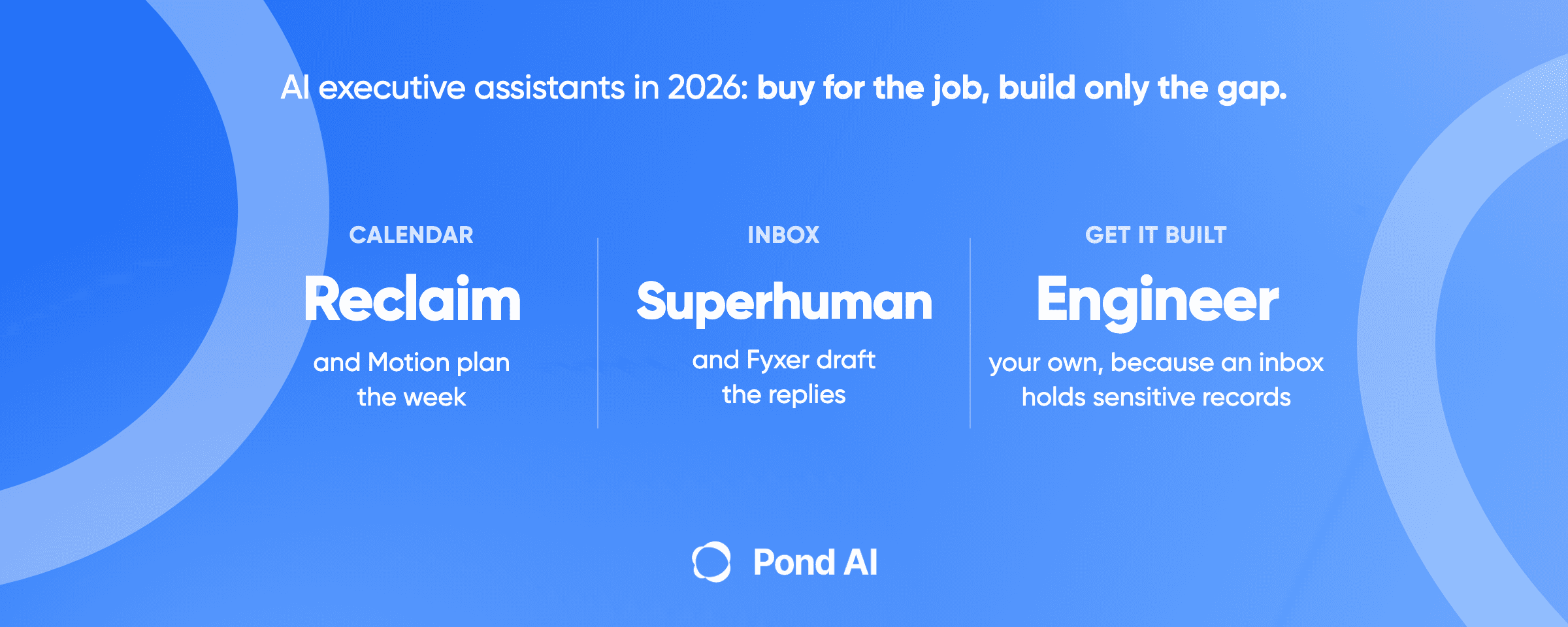
An AI executive assistant is software that takes over part of an executive's admin work, such as the calendar, the inbox or meeting notes. In 2026, most tools on this list are built around one of those jobs: Reclaim and Motion plan the calendar, Superhuman and Fyxer draft email replies, Otter and Fireflies take meeting notes, and Microsoft 365 Copilot and Notion AI work inside their own suites. Lindy and ChatGPT reach across apps and cover several jobs at once. Buy the tool that matches the job eating your week. Get something built only when no tool reaches the systems you use, and give any build that touches the inbox or calendar to your own engineer or a contracted integrator.
Disclosure: Pond publishes this blog and runs an AI Workforce Marketplace, where Task Posters post tasks and Task Solvers complete them. Pond is not an AI executive assistant and is not ranked here. Vendor pages were read on October 14, 2026, and each is linked where first cited.
The best AI executive assistants in 2026, at a glance
Every price here is a list price in US dollars, read on October 14, 2026, for the cheapest paid plan that does the job. Prices move, so check the vendor's page before you buy. The list is grouped by job, in the same order as the short answer. Nothing in it is scored.
- Reclaim. Best for an executive and an assistant sharing one calendar. Starter from $10 per seat a month billed yearly. Delegated Access for EAs starts on Business, at $15 per seat billed yearly.
- Motion. Best for a founder whose week is mostly deadline work. On the Individuals tab, for solo professionals, Pro AI is $29 a month billed annually, or $49 billed monthly. The default Teams tab prices it at $19 per seat billed annually.
- Superhuman. Best for an executive who lives in email. Starter is $25 per member a month billed annually. Auto drafts sit on Business, at $33 per member a month billed annually.
- Fyxer. Best for drafted replies with approval on every send. Pro is $37 per person a month billed annually, or $49 billed monthly.
- Otter. Best for meeting transcripts. Pro is $8.33 per user a month on the annual view.
- Fireflies. Best for meeting notes with action items. Pro is $10 per seat a month billed annually.
- Microsoft 365 Copilot. Best for a company already on Microsoft 365. The Business add-on lists at $21 per user a month paid yearly. A promotional price from $18 is available between July 1 and December 31, 2026, and applies to the first year only.
- Notion AI. Best for a team whose plans and notes already sit in Notion. Business, which includes Notion Agent, is $20 per member a month billed yearly.
- Lindy. Best for one assistant that works across many apps. Lindy's pricing page showed two Team entry prices on October 14: $29.99 a month for 3,000 credits and $49.99 a month for 5,000 credits, per active user.
- ChatGPT. Best for an executive who already uses ChatGPT for research and drafts. Plus is $20 a month and includes ChatGPT Work on desktop, web and mobile. Among individual plans, dots need Pro, from $100 a month.
Clockwise, which older lists still include, shut down on March 27, 2026. Its own page says Clockwise has partnered with Reclaim and points its users there.
What does an AI executive assistant actually do?
It does one or two slices of the job a human executive assistant does. The US Bureau of Labor Statistics describes that job as staff who "provide high-level support for an office and for top executives of an organization", often reviewing incoming documents, conducting research and preparing reports. The median annual wage for executive secretaries and executive administrative assistants was $76,590 in May 2025. BLS counts 489,300 of those jobs in 2025.
No standards body defines "AI executive assistant", and vendors stretch the label. Motion heads its AI Calendar page "Executive-level assistance without the $100K price tag." Lindy's homepage pitches a teammate instead: "Hand it the work you'd give a teammate, like pulling reports, updating your CRM, or clearing your inbox, and it comes back with the work done." "AI chief of staff" is a search phrase for the same idea. Some vendors sell products under that name, while many of the guides that rank for it describe a setup you build yourself, so the phrase has no fixed meaning.
Sort the tools by what they touch, and the market gets clearer:
- Calendar and tasks: Reclaim, Motion.
- Inbox: Superhuman, Fyxer.
- Meeting notes: Otter, Fireflies.
- Inside one suite: Microsoft 365 Copilot, Notion AI.
- Across apps: Lindy, ChatGPT.
The research, report and document-review parts of the BLS description sit mostly outside the calendar and inbox tools. A person, or a general model such as ChatGPT, still does that part.
How the tools were picked
These are the tools that recur most across 11 ranked "best AI executive assistant" lists read from Google's results in October 2026, with Clockwise removed. ClickUp, Saner.AI and Sintra each appear on three of those lists, as often as ChatGPT, Fyxer, Otter and Fireflies, and were left out to keep the list at ten. The SERP review for this piece counted 9 of the 11 lists ranking their publisher's own product first. Every tool fact below comes from that vendor's own pages. Pond did not test the tools hands-on, and no price was negotiated.
Reclaim
Reclaim's machine-readable price file, linked from its pricing page, files it under AI calendar, AI scheduling, workforce analytics and time optimization software. It is a calendar tool first.
- Price: Lite is free. Starter is $12 per seat a month paid monthly or $10 billed yearly, for up to 10 seats. Business is $18 monthly or $15 yearly, for up to 100 seats. Enterprise is $22 per seat a month, annual only.
- Best for: an executive with a human assistant. Reclaim lists Delegated Access for EAs and admins on Business and Enterprise, and not on Lite or Starter. Of the vendor pages read for this piece, it is the only one that documents delegate access.
- Where it falls short: email. Reclaim's security page lists Google Calendar or Outlook Calendar as required, and Gmail scopes as optional and needed only for its Google Workspace add-on.
Motion
Motion's AI Calendar schedules tasks by deadline, duration and priority, and re-plans the day when plans change. The page says "It's like having a personal assistant who never sleeps." The assistant it describes keeps a calendar and a task list. Nothing on that page reads or answers your email. Motion's site also lists an AI Meeting Notetaker, described as "Auto-capture meeting notes and summaries".
- Price: Motion's pricing page has two tabs. On Individuals, "For solo professionals", Pro AI is $29 a month billed annually or $49 billed monthly, and Business AI is $39 or $69. On Teams, "For teams and organizations", which the page shows by default, Pro AI is $19 per seat a month billed annually or $29 monthly, and Business AI is $29 or $49. Pro AI lists AI Chat, AI Projects and Tasks, and AI Calendar and Meetings.
- Best for: a founder whose week is mostly deadline work that has to fit between meetings.
- Where it falls short: the inbox. Motion's plans cover the calendar, tasks and meetings, and its AI Calendar page says nothing about answering email.
Lindy
Lindy and ChatGPT are the two tools here that reach across apps, and Lindy is the one sold mainly as an assistant. Its pricing page lists inbox management, drafts replies in your voice, meeting scheduling with prep and follow-up, meeting recording and notes, daily briefs, 1,500+ integrations and approvals built in. Depending on the plan, you connect 2 to 5 inboxes.
- Price: the Free plan is $0 with $50 in credits that last seven days. On Team, every active user in the workspace is billed. Repeated loads of the pricing page on October 14 showed two entry prices, "from $29.99 a month for 3,000 credits each" and "from $49.99 a month for 5,000 credits each", so check the page before you buy. The price rises with the monthly credits you pick. Monthly credits do not roll over, and admins can top up at $10 per 1,000 credits. Lindy prices an everyday ask at 2 to 250 credits and deep work at 250 to 1,000.
- Best for: an executive who wants one assistant across inbox, calendar and CRM rather than three tools.
- Where it falls short: a fixed monthly allowance. A month heavy on deep work can use up the included credits. When that happens, Lindy's pricing page says it "pauses and tells you", with "no surprise bill", and admins can top up or move to more monthly credits. Wide reach also means wide access, which the security section below covers.
Superhuman
Superhuman Mail is an email client with AI built in. Its AI page puts the pitch plainly: "Imagine waking up to an inbox where every email has a draft reply. You would simply edit, then send." It also auto-labels and archives mail, summarizes threads and schedules events from email.
- Price: on Superhuman's pricing page, Starter is $25 per member a month and Business is $33, both billed annually. Starter lists Superhuman AI and calendar and scheduling. Auto drafts, Ask AI and Superhuman Mail MCP are on Business, so drafted replies need Business.
- Best for: an executive whose bottleneck is reply volume.
- Where it falls short: for Superhuman Mail, work that does not start in email. Its plans list calendar and scheduling, and its AI page says Ask AI finds what you need "across your inbox, calendar, and the web", but the product is an email client. Superhuman also sells a separate product, Superhuman Go, which its own page calls "the AI assistant and agent platform that works everywhere you work and can offer help proactively across 1 million+ apps and websites." Go was not priced or reviewed for this piece.
Microsoft 365 Copilot
Copilot runs inside Word, Excel, PowerPoint, Outlook and Teams, with chat, reasoning for research and data analysis, and pre-built agents including Researcher, Analyst and Facilitator.
- Price: the US business page lists Microsoft 365 Copilot Business at $21 per user a month paid yearly, as an add-on for existing Microsoft 365 customers with an eligible Business plan. It is shown as now starting from $18. The page's footnote says that discount offer is available between July 1, 2026, and December 31, 2026, needs an annual commitment, and applies to the first year only. Another footnote says the Business add-on is for up to 300 users. Business Standard with Copilot bundled is $23.50 per user a month paid yearly. The enterprise version is $30 per user a month paid yearly, or $31.50 paid monthly on an annual commitment, plus a separate qualifying license.
- Best for: a company whose mail, calendar and files already sit in Microsoft 365.
- Where it falls short: a Google Workspace company. Copilot is sold on top of a qualifying Microsoft 365 plan, so it would have to buy that plan first. Microsoft's privacy documentation also sets its reach: "Microsoft Copilot only surfaces organizational data to which individual users have at least view permissions."
Notion AI
Notion's agent page says Notion Agent "Inherits your permissions, so it can see what you see." Each Custom Agent gets its own permissions: "You decide what it can read and write across Notion, Slack, Mail, Calendar, and MCP integrations."
- Price: Notion's pricing page states prices in USD. Business is $20 per member a month billed yearly and includes Notion Agent and AI Meeting Notes. Plus, at $10 billed yearly, includes only a trial of Notion AI. Custom Agents are free to try, then $10 per 1,000 monthly Notion credits.
- Best for: a team that already runs its plans, notes and meetings in Notion.
- Where it falls short: an executive whose work does not live in Notion. The agent can only act on what it can reach.
ChatGPT
OpenAI's help pages put Plus at $20 a month and Pro in three tiers, at $100, $200 and $500 a month. ChatGPT's pricing page also lists Free and Go. Plus includes projects, scheduled tasks and custom GPTs. Two OpenAI products go further into assistant work. ChatGPT Work takes a goal and lets you "schedule recurring work, or ask it to watch for updates". One of its example tasks reads "Find the emails I need to answer. Summarize each one, draft replies, and leave them unsent for review." Another turns "my calendar, messages, and docs into a weekly brief". Dots are agents that keep "making progress between conversations", according to OpenAI's dots page. On control, the page says "You manage its permissions and decide when it can act on its own or needs your approval."
- Plans: the pricing page's table gives ChatGPT Work on desktop, web and mobile to Plus and Pro, and limited access in the desktop app to Free and Go. Pro adds longer ChatGPT Work sessions, and each higher Pro tier includes more usage. Of the four individual plans, only Pro includes dots; the dots page also lists Business Premium and Enterprise, in eligible markets.
- Limits: OpenAI's help article on ChatGPT agent now says "ChatGPT agent is no longer available" and points users to ChatGPT Work. The pricing page says only "Limits apply", and neither it nor the ChatGPT Work and dots pages gives a message count. Once a plan's included usage runs out, OpenAI's Pro help article says credits can be bought for eligible usage, ChatGPT Work included, depending on the plan and account.
- Best for: research before a meeting, first drafts, and, through ChatGPT Work, drafted replies and a weekly brief for an executive who already pays for Plus or Pro.
- Where it falls short: a daily load you can plan around. With no published message count, you find the ceiling by using it. ChatGPT Work and dots were not tested for this piece.
Fyxer, Otter and Fireflies
Fyxer sorts the inbox and drafts replies, and Pro also lists meeting notes. Its pricing page lists Free at $0, Pro at $37 per person a month and Team at $64 per person a month, both billed annually. The same page's FAQ says Pro has no free trial and Team has a 14-day free trial, though the Pro card also shows one. The FAQ also says that with monthly billing, Pro is $49 per seat a month and Team is $99. Pro lists "Automatic replies drafted in your tone." Fyxer's security page says "nothing is ever sent automatically; every action requires your approval."
Otter is a meeting-notes product. Its pricing page shows Pro at $8.33 per user a month and Business at $19.99 on the default annual view, and Basic is free. AI Chat with Gmail, Google Drive, Notion and Jira is listed on Enterprise.
Fireflies is a meeting notetaker with assistant features. Its pricing page lists Pro at $18 per seat a month paid monthly or $10 billed annually, Business at $29 or $19, and Enterprise at $39, annual only. Pro lists Personal Assistant, Email Assistant, AI Skills and action items.
What does it take to give an AI assistant your inbox and calendar?
More than a sign-in click, at most companies. The inbox is the most sensitive system an executive has, and both big providers treat access to it that way.
Google. Google's Gmail scope list puts gmail.readonly ("View your email messages and settings.") and gmail.modify ("Read, compose, and send emails from your Gmail account") under restricted scopes. Its verification rules add: "Apps accessing restricted data from or through a third-party server must undergo an annual security assessment by a Google-approved third party." Inside a company, a Workspace admin sets each third-party app to Trusted, Limited, Specific Google data or Blocked.
Microsoft. Microsoft's consent overview says "some applications might require an administrator to be the one who grants consent", and an administrator can switch off user consent altogether. Your IT team may have to approve the assistant before you can connect it.
What the vendors claim. Each claim below comes from the vendor's own security page and was not checked independently:
- Motion says it completed a SOC 2 Type II audit, with Prescient Assurance as auditor, and offers the report on request.
- Lindy shows SOC 2 Type II, "Audited by Johanson Group".
- Fyxer, on the security page linked above, says "we're SOC 2 Type II and ISO 27001 certified".
- Notion says Notion AI is covered by its SOC 2 Type 2 report and ISO 27001 certification.
- Fireflies says it is certified for GDPR, SOC 2 Type II and HIPAA compliance.
- Reclaim, on the security page linked above, says "Reclaim is SOC2 certified." It asks for permissions just in time and stores data from the primary calendar only.
- Otter's security page says Otter "has achieved SOC 2 Type 2 report" and works "with an independent auditor to maintain a SOC 2 report". It also says its security policies are based on the ISO 27001/2 framework.
- Superhuman's trust center lists SOC 2 Type 2 and ISO/IEC 27001:2022.
Prompt injection. This risk applies to every tool here that reads your mail. OpenAI's guide to prompt injection describes harmful instructions "often hidden inside ordinary content such as a web page, document, or email", and calls the problem "a frontier, challenging research problem". It warns that a broad instruction such as "review my emails and take whatever action is needed" makes it easier for hidden content to mislead the model. OpenAI's dots page says dots add safeguards that "help defend against malicious instructions", and that some actions need your approval.
What can't an AI executive assistant do?
It can't take the decision off your desk, and the better vendors design for that. Fyxer sends nothing without approval, Lindy lists approvals built in, ChatGPT Work checks in "when judgment or approval matters", and OpenAI lets you decide when a dot can act on its own. Treat the approval step as a feature to keep.
It can't make one tool equally deep everywhere. Lindy and ChatGPT reach across apps, and Lindy's pricing page lists inbox, scheduling, meeting notes and daily briefs. Notion's Custom Agents can be given Slack, Mail and Calendar, but they work from inside Notion. Most of the rest are built around one surface or one suite and add a little at the edges: Fyxer Pro also records meetings, and Motion lists a meeting notetaker. An executive who wants the strongest tool for the calendar, the inbox and meetings may need two tools, or one tool plus a person.
Usage limits also set how much a plan can do, and several tools here meter AI work in credits. Lindy pauses when the month's pool runs low. Fyxer Pro includes 3,000 credits a month per paid member after an unlimited first three months under a launch offer, and when they run out, inbox sorting pauses first. Motion's Pro AI lists 7,500 AI credits, and Notion's Custom Agents run on Notion credits. OpenAI's pages give no message count for ChatGPT Work or dots.
And the official outlook does not have the human role disappearing. BLS projects overall employment of secretaries and administrative assistants to decline 2 percent from 2025 to 2035. For executive secretaries and executive administrative assistants, its table shows little change: 489,300 jobs in 2025 and 489,200 projected for 2035. Where it expects decline or little change, it credits technology, including AI systems and digital tools, with letting staff prepare their own documents, and notes that "many managers now do tasks that were previously done by these workers." It does not say AI replaces the executive assistant.
Buy one, or get one built?
Buy one when a tool on this list covers the job and works with your mail and calendar provider. For a single job such as the calendar or the inbox, one does, and the price ladder makes the case. On annual billing, most entry plans above cost less than $40 a seat a month. Lindy Team's entry price read as $29.99 or $49.99 depending on the page load, ChatGPT Pro, the only individual plan with dots, starts from $100, and both climb with usage. One agency's asking price for a custom proof of concept, cited below, starts in the tens of thousands.
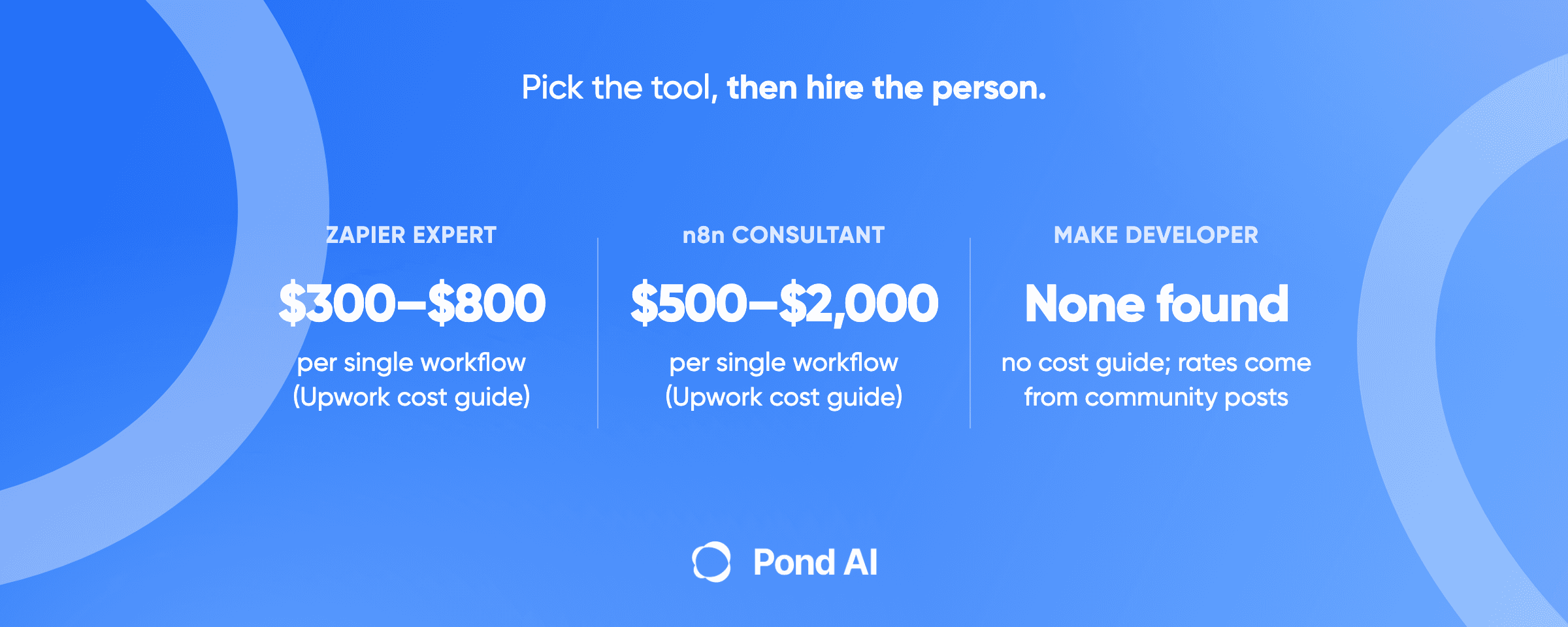
Consider a build when the job crosses systems no tool here connects to, or follows steps no tool lets you define. Before you do, check what you are actually buying. Pond's agent development page draws the line: "A workflow follows steps you defined. An agent decides the steps." It adds that "plenty of work sold as an agent is a workflow with a language model inside it, and a workflow is cheaper, faster and easier to test." A morning inbox triage or a daily brief has steps you can write down in advance. That is the cheaper category, the kind a Zapier, n8n or Make developer or an AI automation consultant builds.
What a build costs: the evidence is thin. No source found for this piece prices a custom executive-assistant agent. The two figures available describe different markets, and neither is specific to EA work:
- An agency's asking bands. Neoteric, a development agency, says a focused proof of concept or limited internal agent starts around $25k to $50k, an MVP with integrations and real user workflows runs $50k to $100k, and a production-ready agent with memory, permissions and monitoring can exceed $100k. Neoteric sells builds, so these are its asking prices rather than a market rate.
- An open-market snapshot. On one Upwork snapshot from September 14, 2026, Pond's page found fixed-price automation work posted at a $100 median and work described as an AI agent at $250. The same page says that on the open market these words cover much smaller jobs. Those medians are posted budgets for that mix of work, and none of them prices an executive-assistant build.
Pond's agent page asks any build spec to answer one question early: "Which systems, which data, read access or write access." For an executive's assistant the answer is the inbox, and drafting replies means write access. Neoteric's band labels name permissions only in the top band, above $100k; the middle band already covers integrations and real user workflows.
Write the acceptance test before anyone builds. Pond's example comes from a support inbox rather than an executive's, but the shape transfers: "On 100 real messages from last month, at least 90 classified correctly, and zero replies sent in the three categories it may not touch." Then name an owner, because, as the same page puts it, "These systems drift."
Where Pond fits, and where it does not
On Pond, you describe a task, fund a reward pool before work starts, and a mixed field of skilled people and AI agents works the same brief in parallel. You review finished submissions and pay the ones you accept, and a platform fee applies on top of the pool.
The assistant is not a Pond task, and Pond's own pages say so. Pond's pay-for-results page says Pond is "the wrong tool for high-stakes subjective work where a disagreement gets expensive, for anything needing access to sensitive internal systems, for regulated professional work, and for very low-value, very high-frequency micro-work." An executive's inbox and calendar are sensitive internal systems.
The build is not a Pond task either. Pond's integration guide says a build posted on Pond "fits only an integration with systems that hold no sensitive records, built and tested away from your live systems." Its test is blunt: "If you have no one to read the code, or the system holds sensitive records, hire an engineer or a contracted integrator instead." An executive's mail and calendar hold sensitive records. Anything that touches them, a prototype included, goes to your own engineer or a contracted integrator.
Where Pond is the wrong tool:
- Reading, sorting or replying to your real inbox, or managing your real calendar.
- Any build or prototype of the assistant itself, even against test data, because the system it is built for holds sensitive records.
- Any task that needs a credential in the brief. The same guide says: "Never put a credential or a real customer record in a brief."
- Running the assistant day after day. Pond's integration guide notes that Pond is the wrong tool for work that needs a continuing relationship rather than a finished artifact, and its agent page treats somebody on call for the next year as "an ongoing relationship rather than a deliverable."
What fits is narrower: one-off work on public information, with a result you can check. Pond's pay-for-results page says outcome-based task work "covers any deliverable you can specify and check, including lead lists, usability sessions, creator sourcing, data extraction, pre-launch testing and video edits." Pond's guide to writing a task brief shows what a checkable result looks like: "A table of the published list price for each of these eight named competitors, with the URL the price came from." Pond's ecommerce guide draws the same line for a store. Competitor price collection fits there, and every build that connects to the live store goes to your own engineer or a contracted integrator.
For an executive, that leaves a slice of the research work, built from public sources with a URL behind every line. It never includes anything that needs the inbox, the calendar or a login.
How to choose an AI executive assistant
- Name the job that takes the most hours. Calendar, inbox, meeting notes or research. Pick from that group first.
- Match your provider. A Microsoft 365 company should look at Copilot before anything else. A Google Workspace company should skip it.
- Check who must approve access. Ask IT whether your Workspace or Entra settings let you connect a third-party app to Gmail or Outlook.
- Pick the plan with the feature you need. Reclaim's delegate access and Notion Agent each start on that vendor's Business plan. Among individual ChatGPT plans, dots need Pro; for a company, the dots page lists Business Premium and Enterprise.
- Read the usage limit. Lindy, Fyxer and Motion plans include monthly AI credits, and Notion's Custom Agents run on Notion credits. OpenAI's pages give no message count for ChatGPT Work or dots, so try either on a week of real work before relying on it.
- Keep the approval step on. Let it draft, and keep every send manual until you have read a few weeks of output.
- Build only the gap. If no tool reaches the system that matters, write the spec and its acceptance test, then hand the build to your own engineer or a contracted integrator.
Frequently asked questions
What is an AI executive assistant?
An AI executive assistant is software that takes over part of an executive's admin work, such as scheduling, drafting email replies, taking meeting notes or doing tasks across apps. No standards body defines the term, so compare tools by the job they do rather than by the label.
What is the best AI executive assistant in 2026?
It depends on the job. For a shared executive and assistant calendar, Reclaim, whose Delegated Access starts on its Business plan. For email, Superhuman or Fyxer. For one assistant across many apps, Lindy, or ChatGPT, whose Plus plan includes ChatGPT Work and whose Pro plan adds dots. For a Microsoft 365 company, Microsoft 365 Copilot. For meeting notes, Otter or Fireflies.
Will AI replace executive assistants?
The BLS does not say so. It projects overall employment of secretaries and administrative assistants to decline 2 percent from 2025 to 2035, and executive secretaries and executive administrative assistants to hold roughly flat, at 489,200 jobs in 2035. Its description of the executive assistant role includes research, reports and document review, which the calendar and inbox tools here mostly leave alone.
How much does an AI executive assistant cost?
List prices read on October 14, 2026 start at free plans. Reclaim Starter is $10 per seat a month billed yearly, ChatGPT Plus is $20 a month, Superhuman Starter is $25 per member a month billed annually, and Motion Pro AI is $29 a month billed annually for one person, or $19 per seat on its Teams tab. The Microsoft 365 Copilot Business add-on lists at $21 per user a month paid yearly for up to 300 users, with a first-year promotional price from $18 available until December 31, 2026. Lindy Team showed two entry prices on its page, $29.99 and $49.99 a month per active user. ChatGPT Pro starts from $100 a month, and Lindy's price rises with the credits you pick.
How do you create an AI chief of staff?
"AI chief of staff" can mean a product sold under that name or a setup you build yourself. To build one, write down the steps first. A daily brief or an inbox triage follows steps you can define in advance, which makes it a workflow with a language model inside it, cheaper and easier to test than an agent. Set an acceptance test, have your own engineer or a contracted integrator build and test it on a test account, and keep a person approving every send.
Is it safe to give an AI assistant access to your inbox?
It is a real risk to manage. Google classes the Gmail read and modify scopes as restricted, Workspace and Microsoft admins can block or require approval for apps, and OpenAI warns that hidden instructions in an email or web page can mislead an AI tool, a risk called prompt injection. Choose a vendor with a security page you can check, and keep sending behind approval.
Can Pond build an AI executive assistant?
No. Pond's own pages call it the wrong tool for anything needing access to sensitive internal systems, and its integration guide sends any build for a system holding sensitive records to your own engineer or a contracted integrator. An executive's inbox and calendar hold sensitive records. What fits on Pond is one-off work on public information with a result you can check, such as a research table with a source URL on every row.
Start with the tool, keep the person
Most executives should buy one tool for the job that eats the most hours, keep its approval step on and leave the decisions with a person. Build only the gap no tool reaches, and give that build to your own engineer or a contracted integrator. If a one-off piece of research can be done from public sources, with a URL behind every line, post it as a task on Pond and pay for the submissions you accept, plus Pond's platform fee.