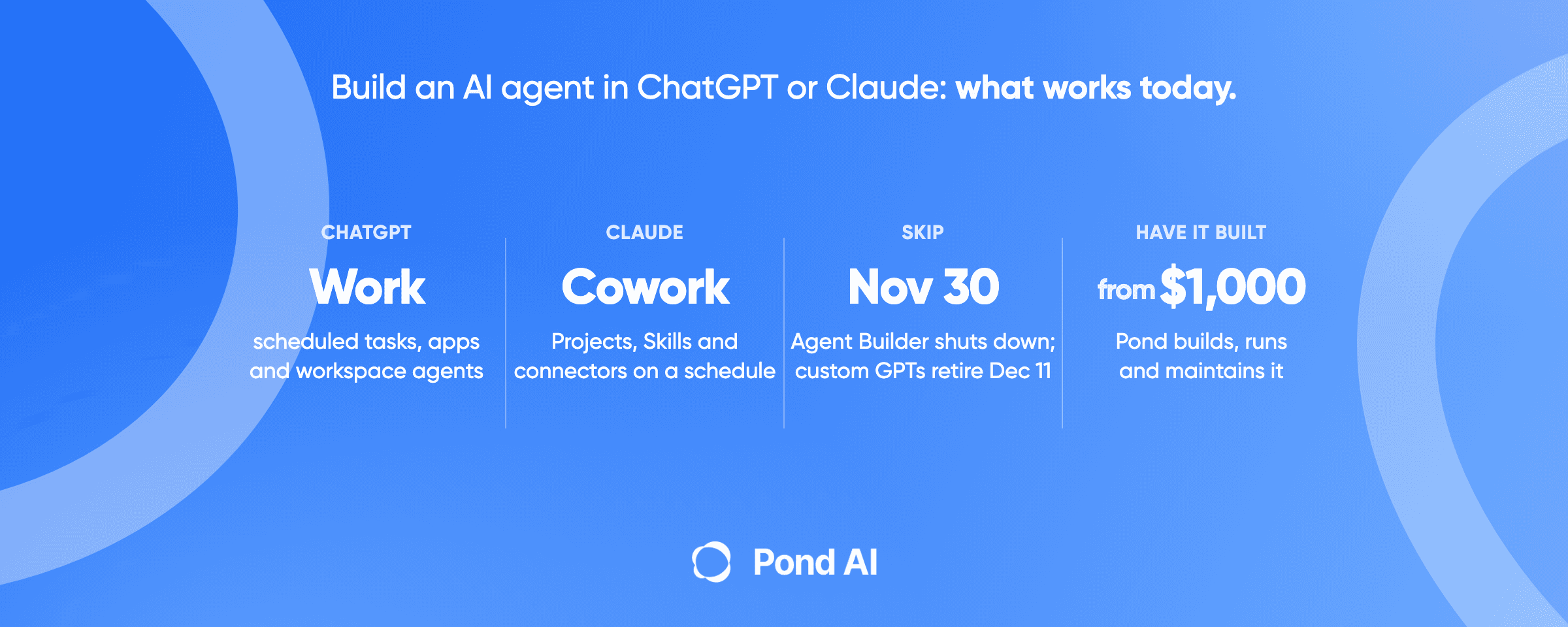
Short answer: Yes, you can build an AI agent inside ChatGPT or Claude in 2026 without writing code. In ChatGPT, use ChatGPT Work with scheduled tasks and apps, or workspace agents on a Business plan. In Claude, use a Project, Skills and connectors, then a scheduled task on a paid plan. OpenAI's Agent Builder shuts down on November 30, 2026, and custom GPTs reach standard retirement on December 11, 2026, so skip tutorials built on either.
What you can build in ChatGPT and Claude today
The main tools most tutorials for this search teach are going away, and none of the top-ranking articles we could read mentions it. Both products changed their agent features in 2026. This table shows what works today in ChatGPT and Claude, by plan, and what is closing. We checked each product page on November 19, 2026.
AI assistants are behind too. We read 12 recent answers from ChatGPT, Gemini and Google AI Overviews to one question: can a business build an AI agent inside ChatGPT or Claude? Of those answers, ten named Claude Projects, nine named custom GPTs or GPT Builder, and ten named ChatGPT Work or workspace agents. One ChatGPT answer called custom GPTs "undergoing a transition" and advised against building on them. None of the 12 gave the December 11, 2026 retirement date.
| Product | Feature | What it does | Plans | Status |
|---|---|---|---|---|
| ChatGPT | ChatGPT Work | Takes a goal, makes a plan, handles recurring work where scheduled tasks are available and checks in when approval matters | Limited on desktop for Free and Go; Plus, Pro, Business, Enterprise and Edu on web and mobile | Available |
| ChatGPT | Workspace agents | Shared agents that run on a schedule, use connected apps and can require approval before sensitive actions | Business, Enterprise, Edu and Teachers | Research preview |
| ChatGPT | Apps and plugins | Connect ChatGPT to tools such as Google Drive or Slack | Select plugins on all plans; admins switch them on for Enterprise and Edu | Available |
| ChatGPT | Custom GPTs | Older custom assistants | New creation is off on Free, Go, Plus and Pro | Standard retirement December 11, 2026 |
| ChatGPT | ChatGPT agent | Older agent mode | None | No longer available; replaced by ChatGPT Work |
| OpenAI | Agent Builder | Developer tool for agent workflows | None for new work | shuts down November 30, 2026; replaced by the Agents SDK or workspace agents |
| Claude | Projects | Workspaces with their own chat histories and knowledge | All plans; five on Free | Available |
| Claude | Skills | Folders of instructions, scripts and resources Claude loads for a task | All plans | Available |
| Claude | Custom connectors | Connect Claude to your tools and data through MCP | All plans, one on Free; on Team only owners add them; on Enterprise owners and custom roles that include "Manage access to Libraries" add them | Available |
| Claude | Scheduled tasks in Cowork | Runs a task hourly, daily, weekly or on weekdays, with or without your approval | Pro, Max, Ultra, Team and Enterprise | Available |
| Claude | Plugins | Bundle skills, connectors and sub-agents into one package | Paid plans | Available |
The developer tools sit outside this table: OpenAI's Agents SDK and Responses API, and Anthropic's Claude Agent SDK and Claude Code. The SDKs and APIs need code and an API key. Claude Code is a coding tool included in paid Claude plans. The developer section below covers them.
What counts as an AI agent?
An agent is software that decides its own next step. Anthropic draws the line this way: "Workflows are systems where LLMs and tools are orchestrated through predefined code paths." Agents, by contrast, "dynamically direct their own processes and tool usage, maintaining control over how they accomplish tasks." OpenAI's short version: "Agents are systems that independently accomplish tasks on your behalf."
A chat that answers your question is not an agent. A chat that checks your inbox every morning, decides which leads matter and updates your CRM is one. That second job needs three things a plain chat lacks: access to your tools, a way to run without you, and rules for when to stop and ask.
Pond's own FAQ states the gap: "ChatGPT and Claude are great at answering and writing, but out of the box they aren't connected to your CRM, inbox or data, and they don't run your process every day on their own." The steps below add those pieces, one product at a time.
How to build an AI agent with ChatGPT
Start with ChatGPT Work if you are on a personal plan, and with workspace agents if your company is on ChatGPT Business or Enterprise.
On a personal plan: ChatGPT Work, scheduled tasks and apps
OpenAI describes ChatGPT Work like this: "Give ChatGPT Work a goal, schedule recurring work, or ask it to watch for updates while it gathers context, makes a plan, and checks in when judgment or approval matters." It is open on desktop with limits on Free and Go, and on web and mobile for Plus, Pro, Business, Enterprise and Edu.
- Connect your tools first. "Apps connect ChatGPT to services you already use, such as Google Drive or Slack". Connect only the apps the job needs.
- Write the job as a goal with a finish line. "Every Monday, list new inbound leads from the shared sheet, mark the ones from companies over 20 people, and draft a reply for each" is a goal. "Help with leads" is not.
- Schedule it. OpenAI says to "Go to Scheduled to create a task and set its schedule." The ChatGPT pricing page lists scheduled tasks as available on Go, Plus and Pro, and not on Free. Active-task limits depend on the plan.
- Expect pauses. An action that sends a message or changes external data may need approval, and OpenAI says "If approval is required, the task pauses until you review it." A run that waits for you is not finished.
On ChatGPT Business or Enterprise: workspace agents
Workspace agents are the shared version for teams. They are "available in research preview for ChatGPT Business, Enterprise, Edu, and Teachers plans." OpenAI sets them up in three steps: "Define the job", "Connect context and tools", "Share them with your team".
They can "Run agents on schedules to handle tasks like reviewing leads, summarizing support requests, or generating reports." Two settings matter before you share one. You can "Require approval before agents take actions like sending messages or updating records." And "Admins define which tools and actions agents can access." OpenAI's ChatGPT Business page says "Your data is never used for training our models."
What to skip in ChatGPT
Skip any tutorial built on Agent Builder or custom GPTs. OpenAI's own page says "the product is scheduled to shut down on November 30, 2026," and lists the Agents SDK or ChatGPT workspace agents as the replacement. For custom GPTs, "New GPT creation and publishing are not available on personal ChatGPT accounts, including Free, Go, Plus, and Pro," and standard retirement is set for December 11, 2026, with some workspaces later. The older agent mode is gone too: "ChatGPT agent is no longer available. Use ChatGPT Work for longer, multi-step tasks and finished deliverables."
How to build an AI agent with Claude
Claude splits the agent into parts you set up once and reuse: a Project holds the context, a Skill holds the method, a connector reaches your tools, and a scheduled task runs it.
- Make a Project. "Projects allow you to create self-contained workspaces with their own chat histories and knowledge bases." Put the reference material here: your ideal customer profile, a price list, the competitor list. The Free plan allows five.
- Write a Skill for the method. "Skills are folders of instructions, scripts, and resources that Claude loads dynamically to improve performance on specialized tasks." A Skill is where "how we score a lead" lives, so every run follows the same rules. Skills need code execution turned on.
- Add connectors. "Custom connectors let you connect Claude directly to the tools and data sources that matter most to your workflows." They run on the Model Context Protocol (MCP), "an open standard, created by Anthropic, for AI applications to connect to tools and data." The Free plan allows one. On Team, only an owner can add one. On Enterprise, owners and people with a custom role that includes "Manage access to Libraries" can.
- Schedule it. "Scheduled tasks are available on all paid plans (Pro, Max, Ultra, Team, and Enterprise), in Claude Cowork and in the new Claude experience." Click Scheduled in the left sidebar, then New task, then "Create with Claude" or "Set up manually". You give the task a name, a prompt, an approval mode, a frequency ("hourly, daily, weekly, on weekdays, or manually"), and, optionally, a model and a folder. If you pick a folder, the setting "Require this computer" turns on, and "the task runs only while your computer is awake and Claude Desktop is open."
- Pick the approval mode with care. Claude offers "Manually approve (Manual)", "Automatically approve (Auto)", and "Skip all approvals (Skip)". Start on Manual. If a connector is set to ask first, "Scheduled tasks may wait for your answer or finish without the tool."
Claude Pro costs $20 a month billed monthly, or $17 a month billed annually. The Team plan is $25 per standard seat billed monthly, or $20 billed annually, and Anthropic lists it with no model training on your content by default. Plugins, which bundle "skills, connectors, and sub-agents into a single package", are on all paid plans if you want to share a finished setup.
The developer route: SDKs and APIs
If someone on your team writes code, both companies offer a lower layer with more control.
- OpenAI lists three runtimes. The Agents API, where OpenAI runs the agent for you; the Agents SDK, where "The SDK runs inside your application"; and the Responses API, for "Your application, with optional hosted orchestration". For the Agents API, which is a beta API ("Requests require the OpenAI-Beta: agents=v1 header."), "Model usage is billed at the selected model’s API rates." Per the same page, "OpenAI tools use their standard rates, and OpenAI-hosted sandboxes use standard container rates."
- Anthropic offers the Claude Agent SDK in Python and TypeScript, with an API key. Its definition: "An agent is an application that completes a task by planning its own steps and calling tools that read files, run commands, or edit code." Claude Code, "an agentic coding tool that reads your codebase, edits files, runs commands, and integrates with your development tools", can also run cloud scheduled tasks that "keep running even when your computer is off."
The SDKs and APIs, unlike Claude Code, swap the app's plans and seats for API billing, and add hosting, keys and maintenance. Somebody has to own them.
Start with one job and test it
Anthropic's advice for developers building with LLMs: "we recommend finding the simplest solution possible, and only increasing complexity when needed." Its help center says the same to everyday users: "Start simple." "Avoid sensitive data and consequential actions." "Review outputs after each run."
In practice, that means one job, one schedule and manual approval for the first two weeks. Read every output. Count how often you had to fix it. When the fixes stop, move one step to automatic. Anthropic also recommends "extensive testing in sandboxed environments, along with the appropriate guardrails" before an agent touches anything real. Our guide to testing an AI agent before your customers do covers the checks in more detail.
When doing it yourself stops working: a checklist
Answer yes or no to each line. Two or more yes answers mean the agent needs an owner, a builder, or both. Fewer than two means you can keep building it yourself.
- Does the agent read email, web pages or documents from outside your company? That is where prompt injection comes in: "A prompt injection attack occurs when malicious instructions are embedded in external content that Claude reads as part of a legitimate task." OpenAI calls it "a common and dangerous type of attack."
- Does it write to your CRM, send messages or change records? OpenAI's advice for connected tools: "always enable tool approvals so end users can review and confirm every operation, including reads and writes." Each approval is a person in the loop.
- Must it run when nobody is watching? In Claude, a scheduled run that uses a connector set to "Always ask" can wait for your answer or finish without the tool. A ChatGPT task can pause for approval too. Either way, the job is not done until someone answers.
- Does it touch customer or private data? OpenAI names "Private data leakage" as "a risk to guard against." Training settings differ by plan: Claude marks Free, Pro, Max and Ultra as opt-out for training, and its Team plan does no training on your content by default.
- Does it need a tool your admin has not approved? On ChatGPT Enterprise and Edu, admins switch plugins on. On Claude Team and Enterprise, owners add connectors, and on Enterprise so can people with a custom role that includes "Manage access to Libraries".
- Will it run many times a day? Claude's usage limits depend on message length, tool use, model and multi-step tasks. Pro, Max, Team and seat-based Enterprise plans show a five-hour session limit and a weekly limit. Verified Ultra accounts see no five-hour limit, and usage-based Enterprise has no set limits.
- Is there no named person who will fix it when a connected app changes? An agent with no owner keeps running on old instructions.
When to hand it off, and the three routes
If the checklist came back with fewer than two yes answers, keep building in ChatGPT or Claude. It is the cheapest way to learn what the job needs.
If it came back with two or more, there are three routes. Hire a developer to build on the SDKs. Use an agent platform; our list of the best AI agent builders compares ten of them. Or have the agent built and maintained for you. Our comparison of build vs buy for an AI agent sets the costs and risks side by side.
Pond publishes this blog. Pond builds custom AI agents and offers tools to build your own, and it is not in the table at the top.
Pond covers the last two routes, and both still run from the AI you already use. Pond's home page puts it plainly: "Turn your Claude into AI agents that get work done". To build it yourself, the Free plan starts at $0 and is billed by usage. The Build plan adds MCP support for $100 a month plus usage, and the Scale plan adds dedicated support for $200 a month plus usage. In Pond's words, "Teams can also build their own agents on Pond's ready-made tools and data, then run them from the AI they already use, such as ChatGPT or Claude."
To have Pond build it, "Custom builds start from $1,000, usually take 1 to 2 weeks, and come with a 7-day refund." The refund applies only to custom builds. Once the agent is ready, you run it from ChatGPT or Claude. For what a custom build includes, see AI agent development on Pond.
Frequently asked questions
Can I develop my own AI agent?
Yes. A non-developer can build one today with ChatGPT Work and scheduled tasks, ChatGPT workspace agents on a Business plan, or a Claude Project with Skills, connectors and a scheduled task on a paid plan. A developer can use OpenAI's Agents SDK or Anthropic's Claude Agent SDK. Plan time for testing the agent and keeping it working after your tools change.
Can I build an AI agent in ChatGPT or Claude for free?
You can start for free, with limits. ChatGPT Work is open on desktop for every plan, but ChatGPT's free plan has no scheduled tasks, per the pricing page. Claude's Free plan includes Projects (up to five), Skills and one custom connector. Scheduled tasks in Claude need a paid plan, and Claude Pro costs $20 a month billed monthly.
Is OpenAI's Agent Builder still available?
Only to existing users, and only until November 30, 2026. OpenAI lists the product as deprecated and names the Agents SDK or ChatGPT workspace agents as the replacements. If you already built something there, plan its move before that date. Do not start a new agent on it.
Is ChatGPT an agent or a language model?
ChatGPT is a product built on language models. On its own, a chat that answers questions is not an agent. It becomes one when you give it a goal, tools and a schedule, as ChatGPT Work and workspace agents do. OpenAI defines agents as "systems that independently accomplish tasks on your behalf."
Do I need to code to build an agent with Claude?
No. Projects, Skills, connectors and scheduled tasks are all set up in the Claude app. A custom connector does need an MCP server that is reachable from the internet, so connecting an in-house system usually needs a developer. The Claude Agent SDK and Claude Code are the coding routes.
Build your own agent, or have one built
If your team wants to build its own agents on Pond's tools and data, Try Pond and run them from ChatGPT or Claude. If you want Pond to build, run and maintain one for you, Get a custom AI agent.